Billing that finishes before your customer looks up.
GST billing, stock, udhaar and fourteen reports in one app — on the phone at your counter or any browser, and it keeps billing when the internet stops.
Your shop doesn't pause.
Neither does ZingBills.
Four moments in an ordinary trading day, and what the software is doing in each one.
Check stock on the way in
Standing at the supplier, open the app and look at what is actually low. Record the purchase there; the stock is updated before you reach the shutter.
Staff bill on their own logins
Give the counter boy billing rights but not your profit reports. Every entry carries a name against it.
Queue keeps moving
Bills save to the device and sync themselves the moment the connection returns. Nothing waits on the router.
Close the day, then close the shutter
Count the cash register down, look at what is still to be collected, and check tomorrow's low-stock list. Whatever has not synced yet is queued and will go on its own.
Not mockups. These are
screenshots of ZingBills.
Every image below was captured from the app running with demo data. What you see here is what you get on your counter.
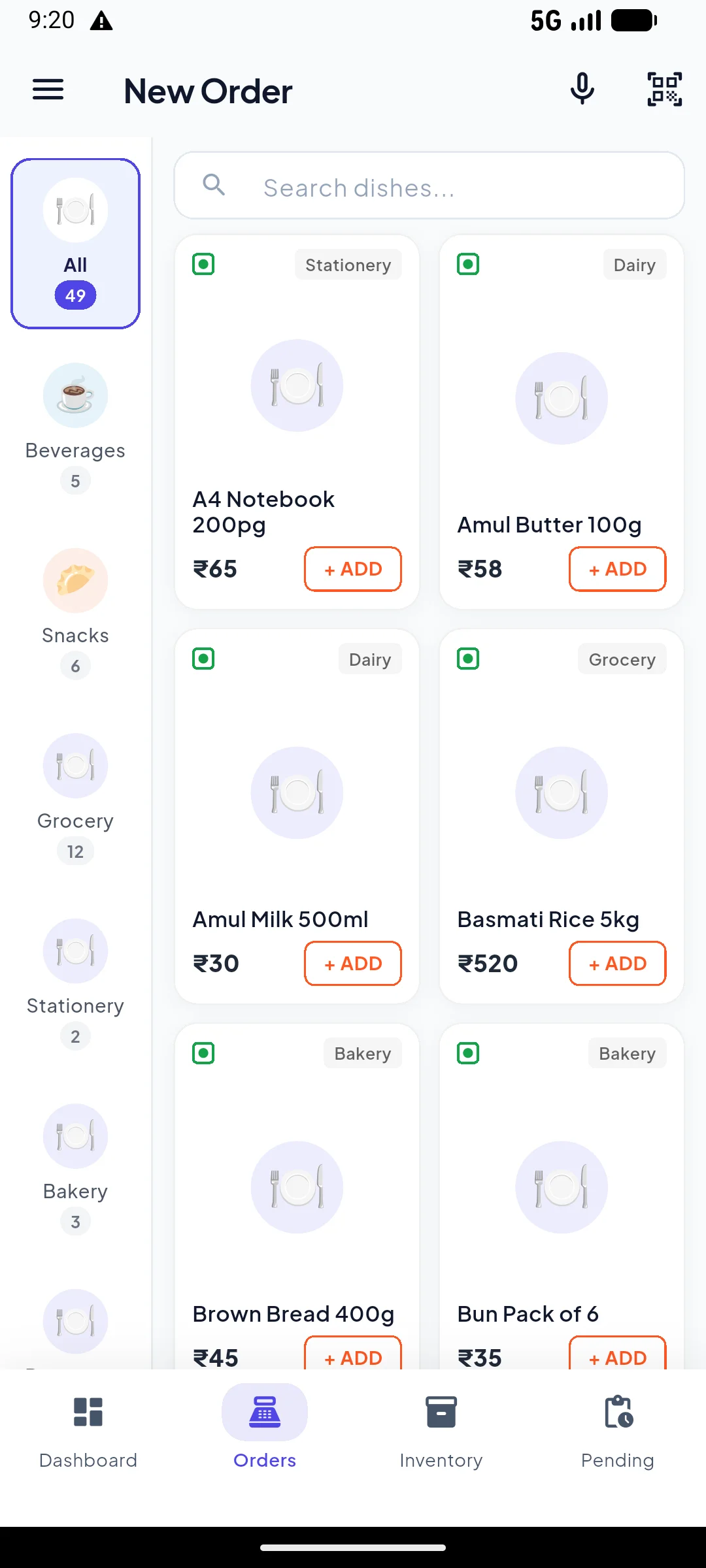
Tap the item. Take the money.
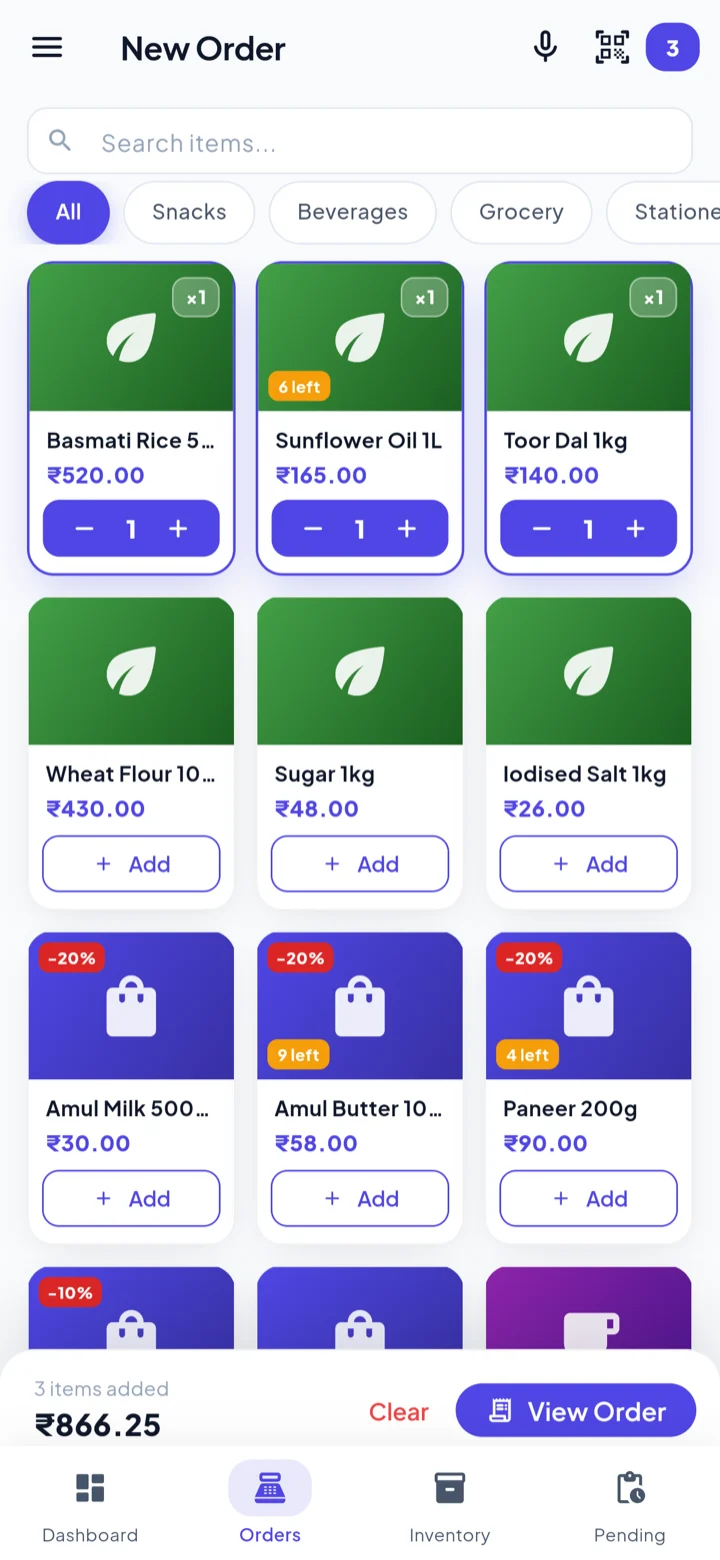
Your items sit in a grid under category chips, so the ones you sell all day are one tap away. Search by voice, scan a barcode, or just tap. The running total is spoken aloud as it changes, so you can bag goods without watching the screen.
No keyboard, no item codes to memorise, and no training day for new counter staff.
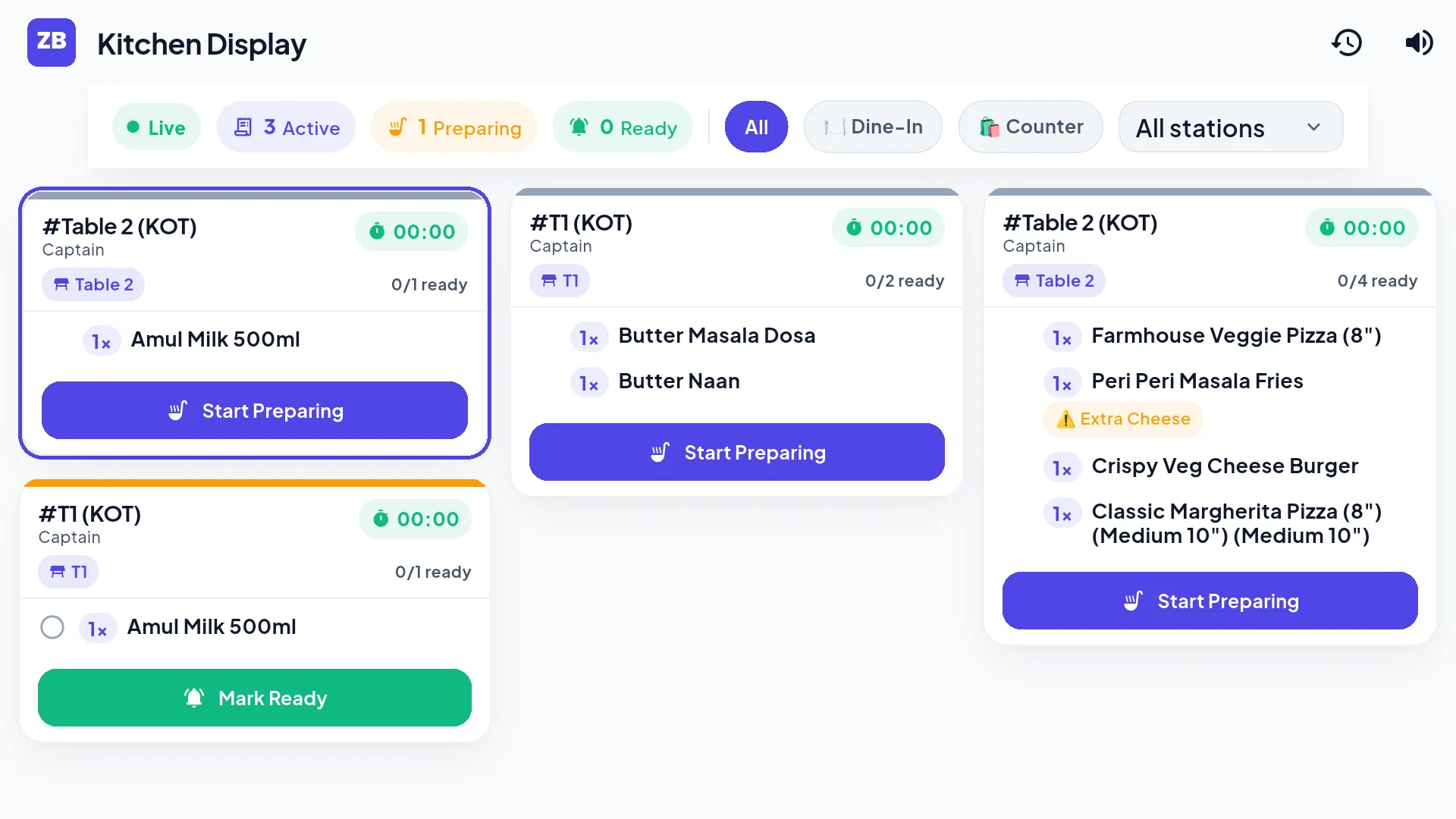
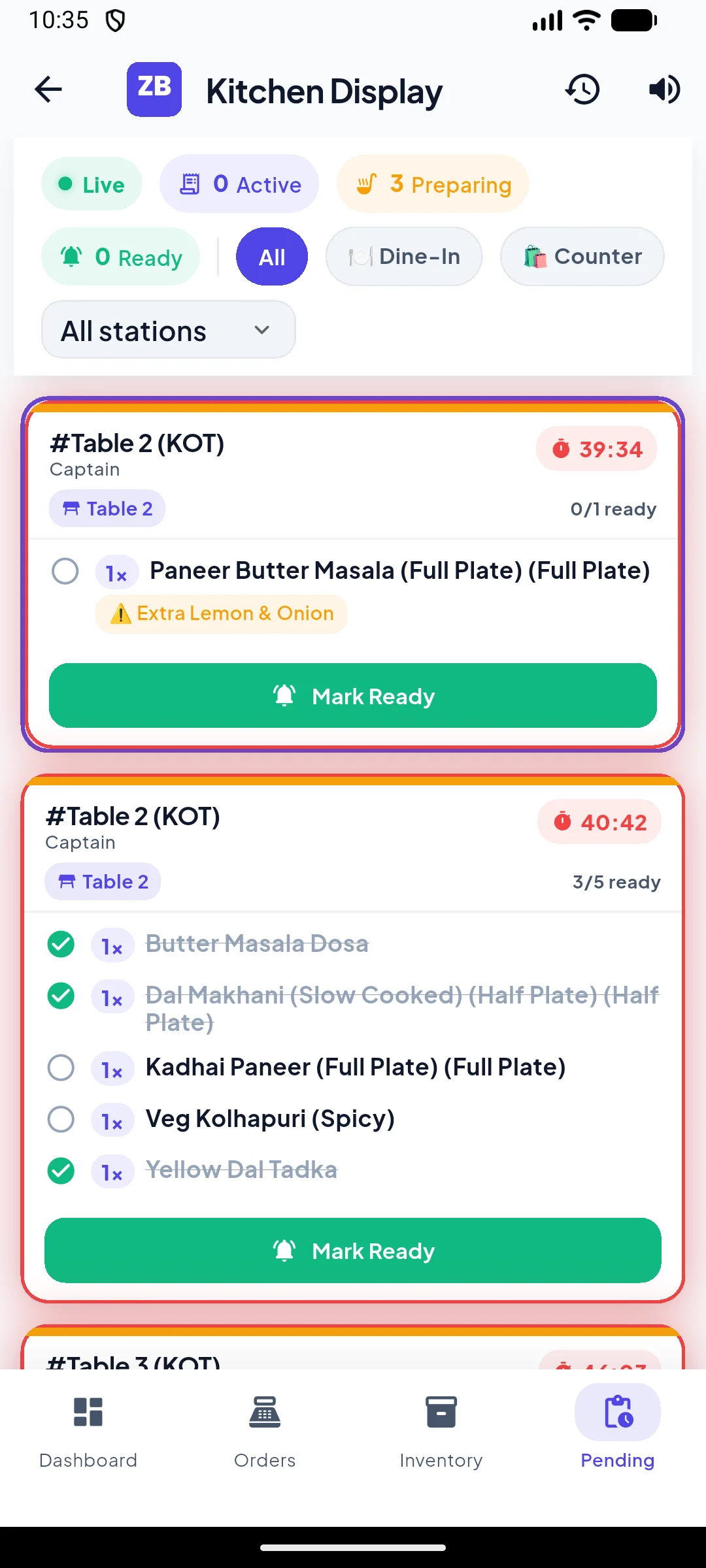
From the counter straight to the kitchen TV.
Orders taken on the phone or counter fire to your kitchen TV in real time with an audio chime. Each ticket displays elapsed wait times with color alerts, table numbers, and item progress — no lost paper KOTs, no misheard orders, and no shouting across the counter.
Lost paper tickets, delayed orders, and peak-hour kitchen chaos.
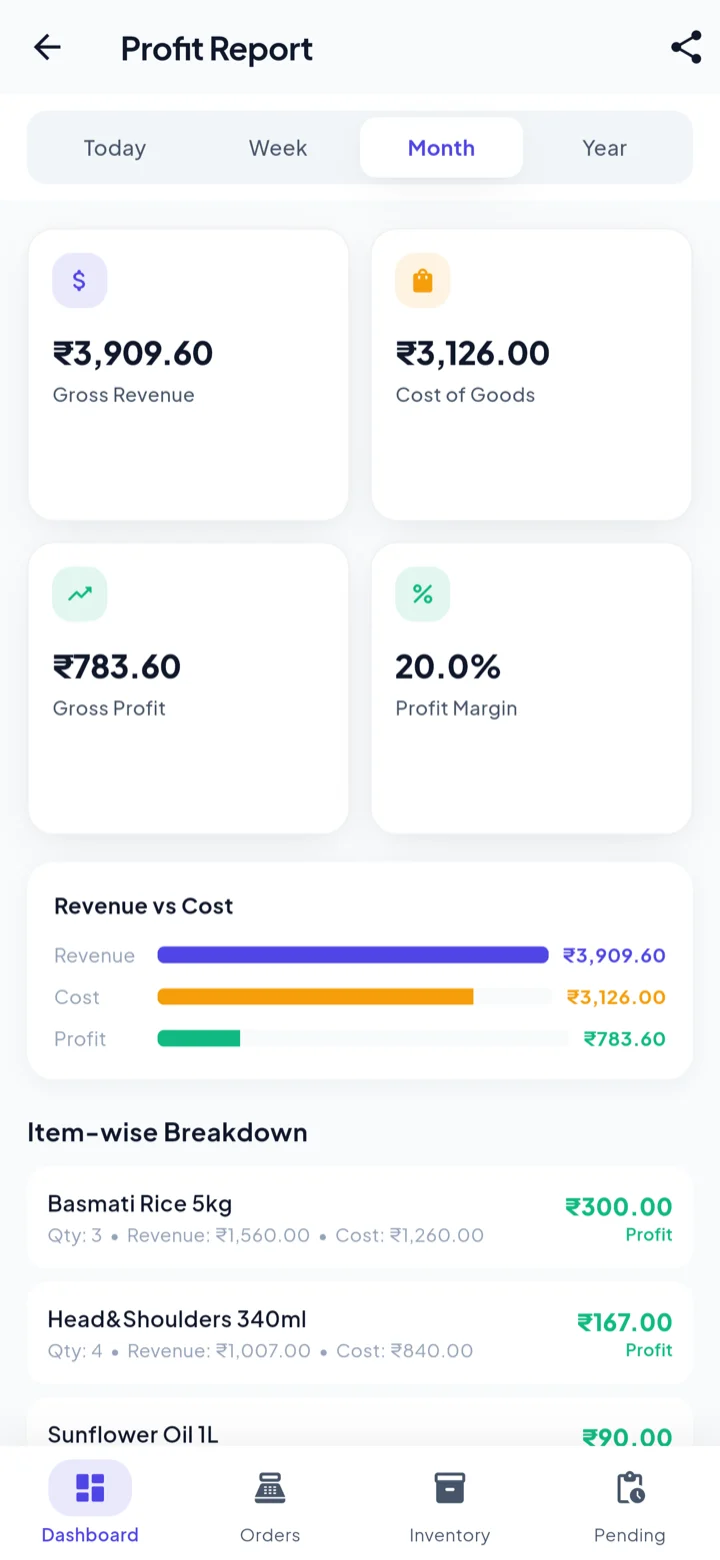
Profit per item, not just per month.
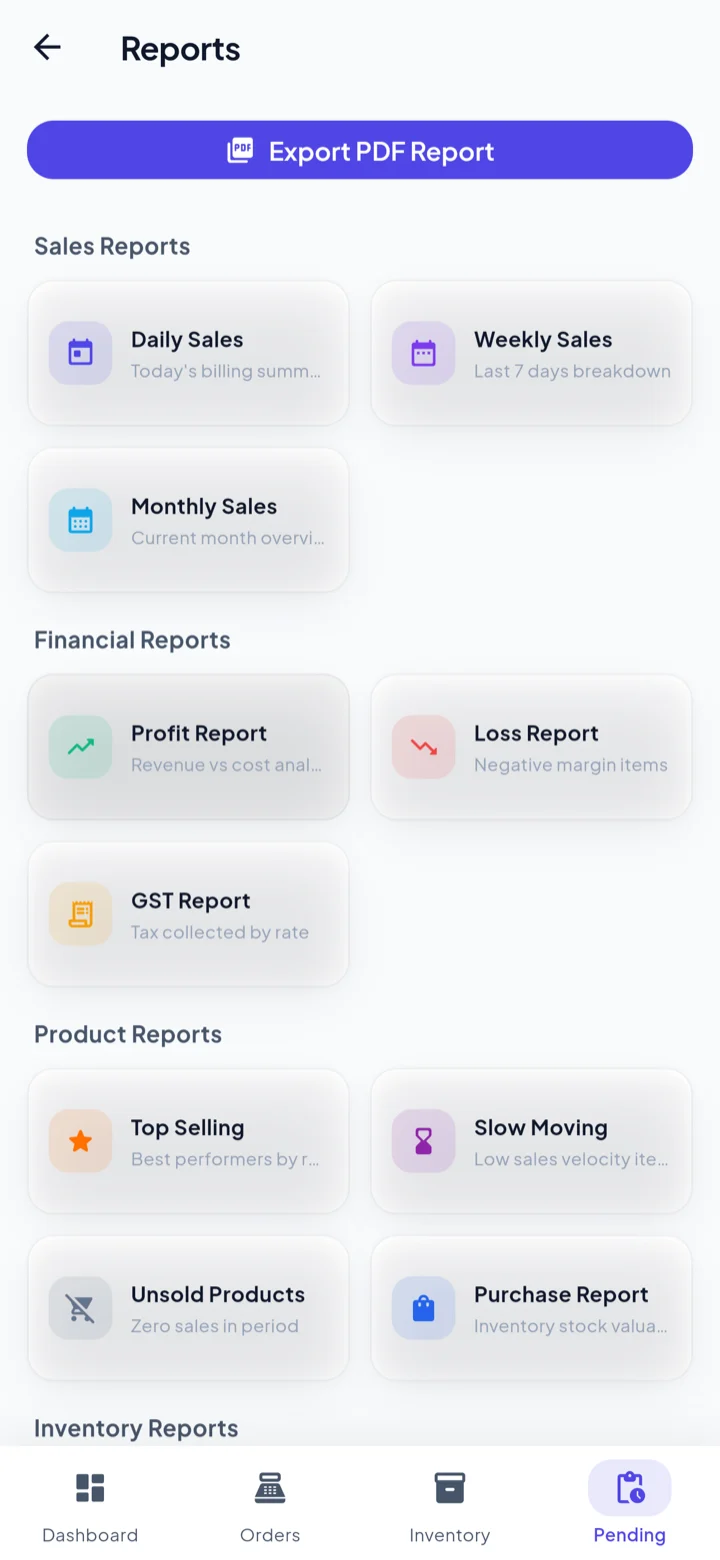
Revenue, cost of goods, gross profit and margin for the period — then the same numbers broken down item by item, with quantity, revenue and cost against each one. Thirteen more reports sit alongside it, from GST to slow-moving stock.
The fast-selling line with a thin margin stops hiding inside a healthy monthly total.
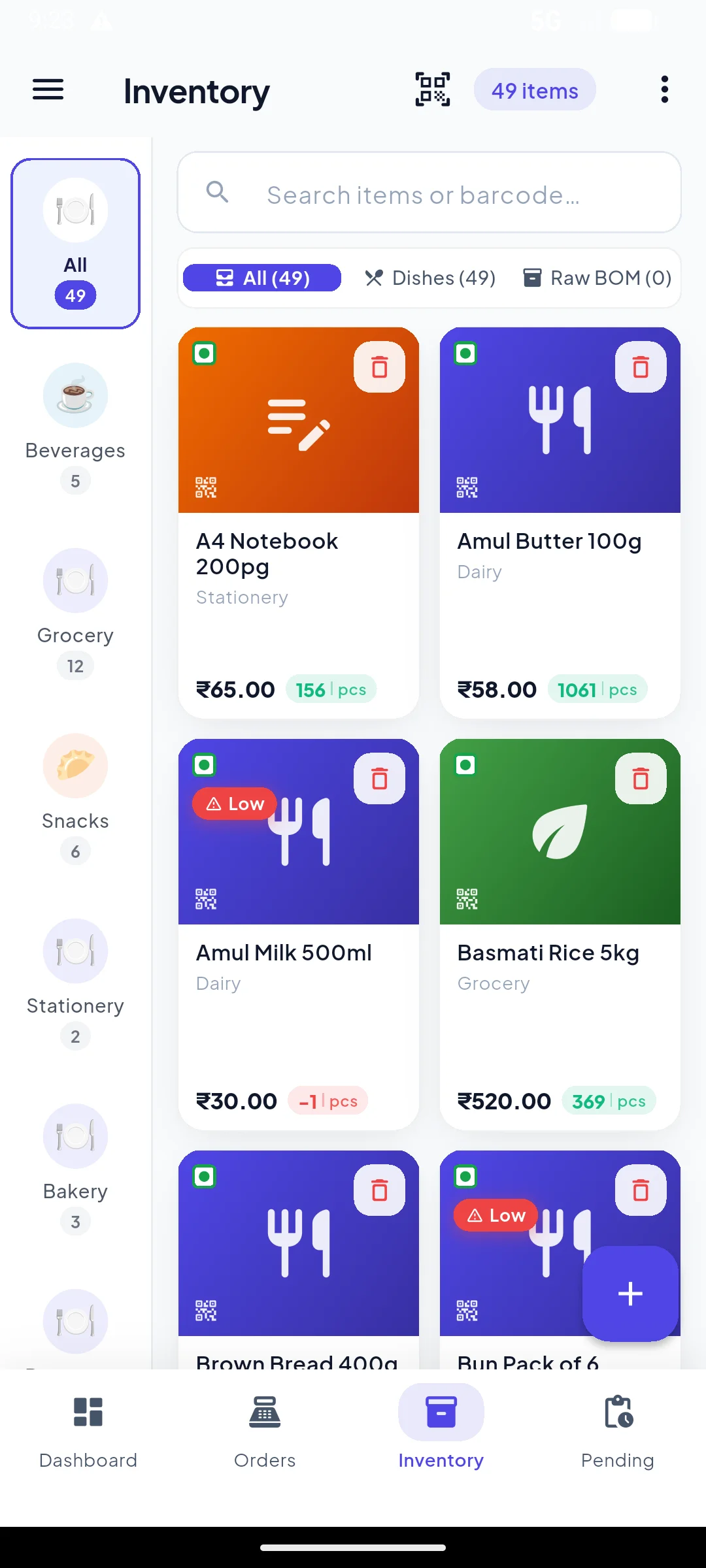
The shelf tells you before it empties.
Every sale moves the count. Anything under the threshold you set is tagged in the list and badged on the billing grid itself, so you notice while you are selling rather than at stock-take. Batch numbers and expiry dates are tracked per item.
The dead Sunday afternoon where your best-selling item is the one you forgot to reorder.
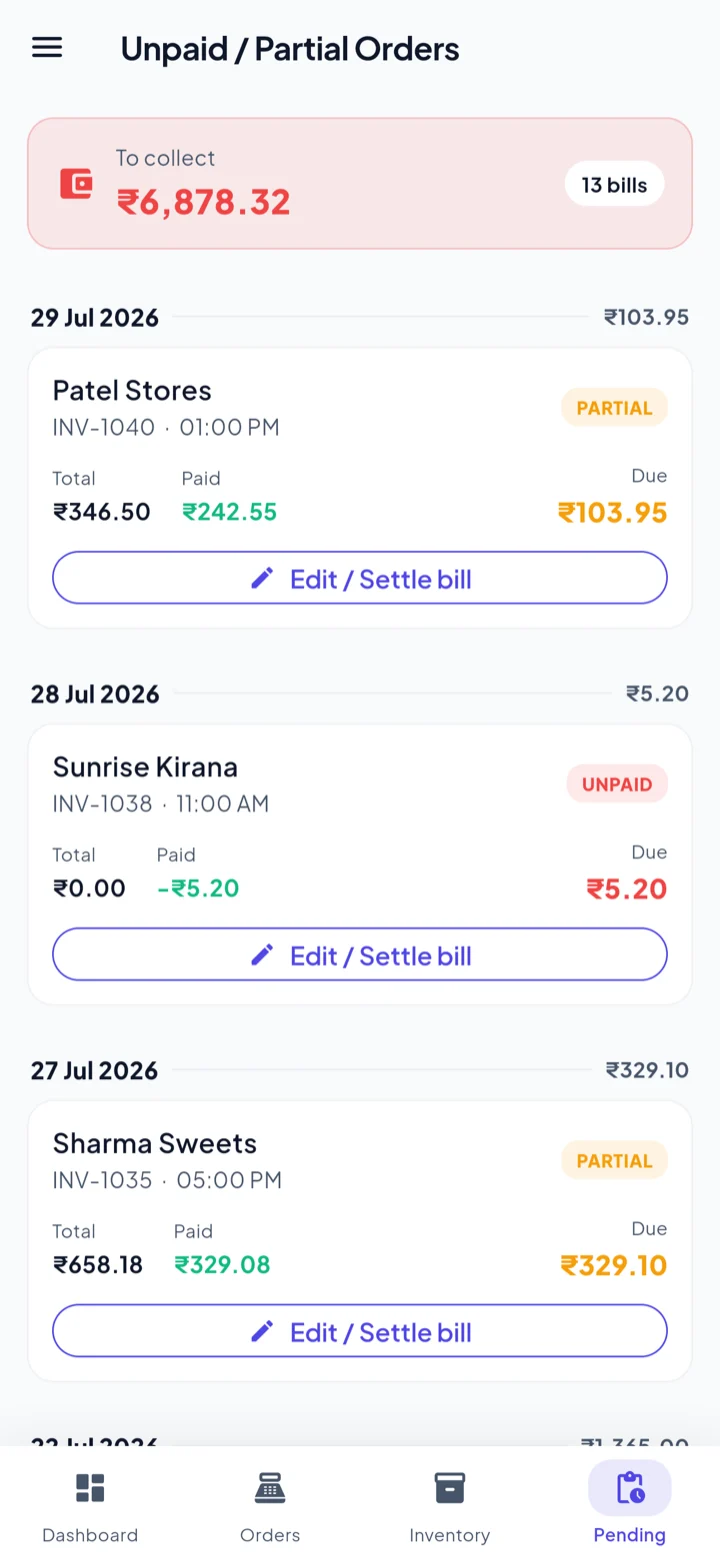
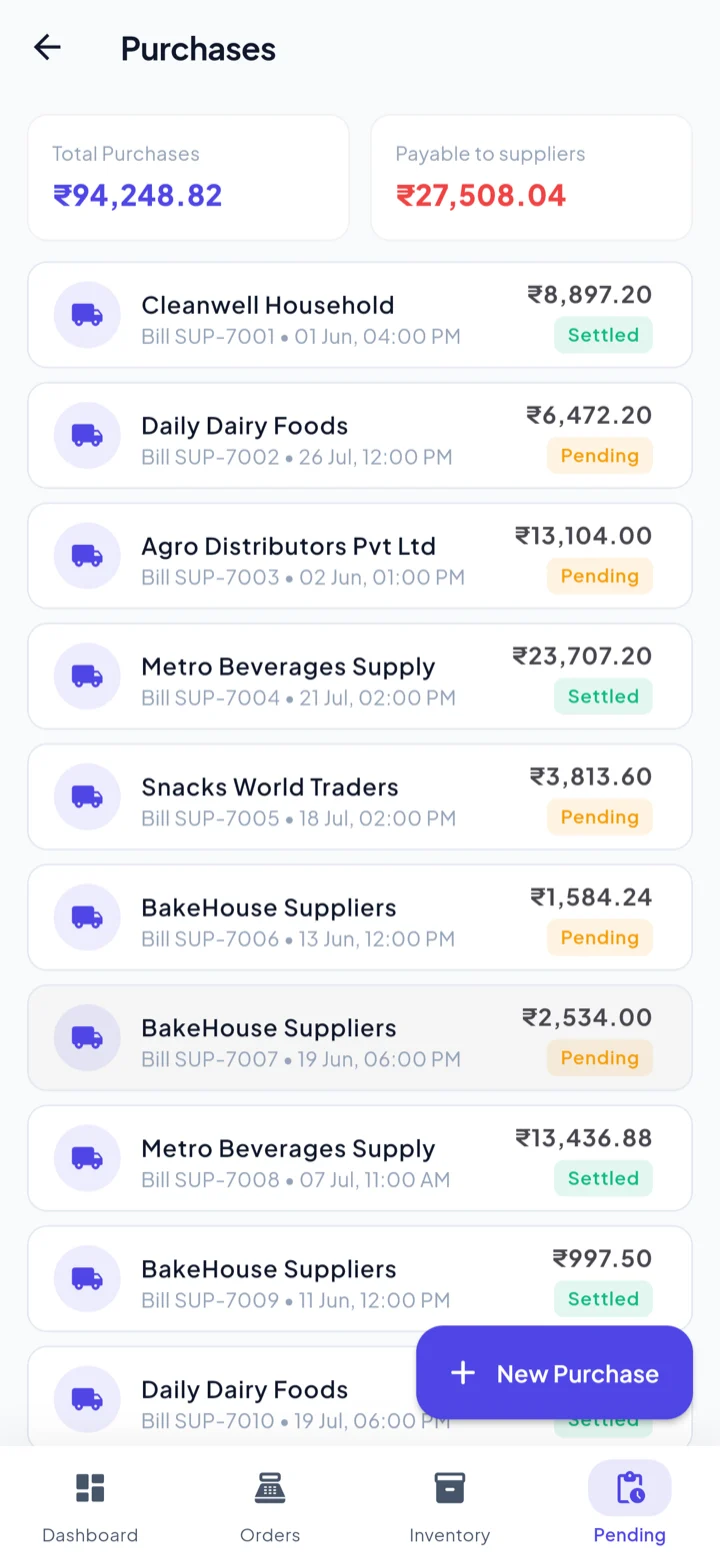
Every rupee still owed, on one screen.
Unpaid and part-paid bills collect in one place with the total still to be recovered at the top. Settle a bill from the same screen, and it posts to that customer's ledger in the khata without a second entry.
The notebook, and the argument about what was paid last Thursday.
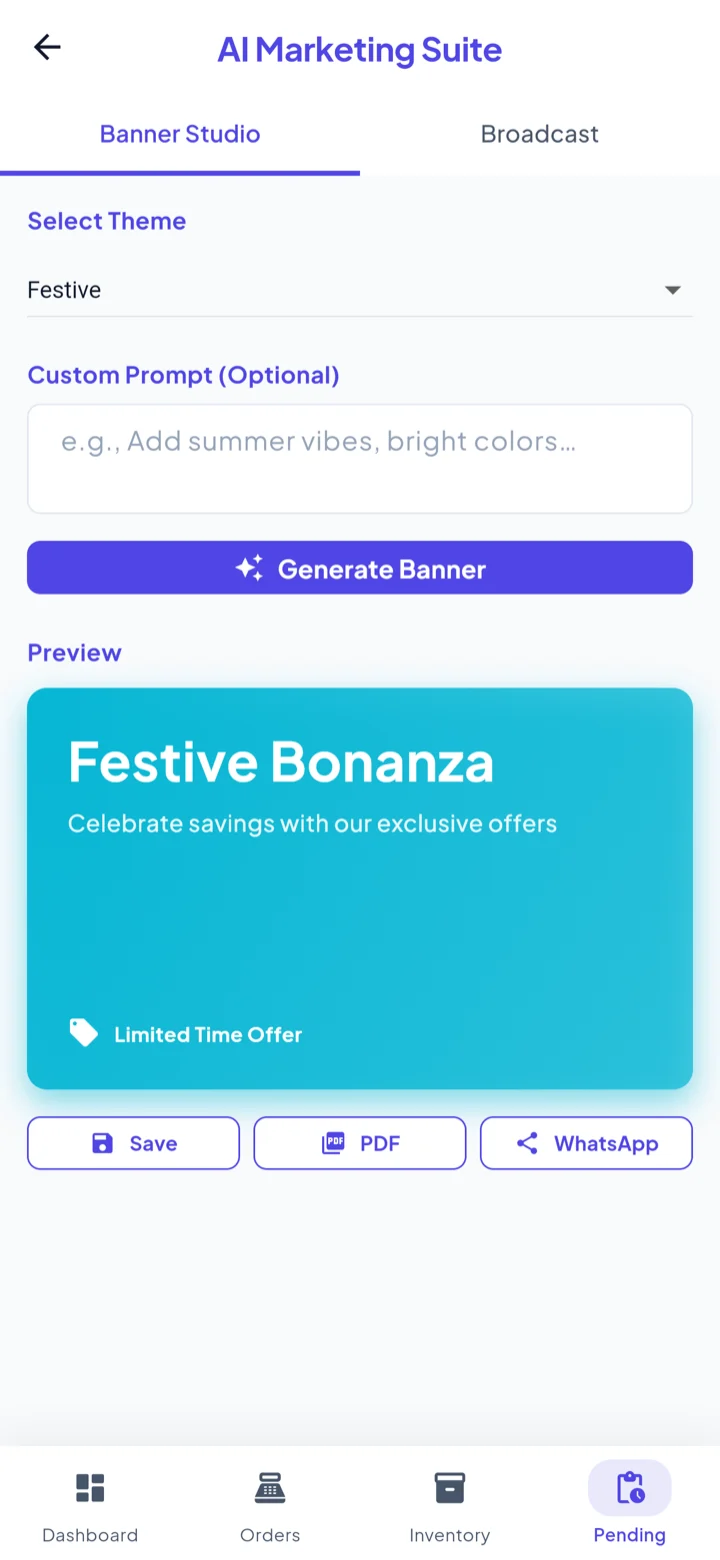
Make the festival banner in the shop.
Pick a theme, add a line of your own if you want one, and generate a banner. Then switch to Broadcast and send the offer to your khata customers or your phone contacts over WhatsApp — without leaving the app you bill from.
The designer, the wait, and the ₹500 you would have spent on a single Diwali poster.
And the rest of it
Swipe through the other screens you will actually use.
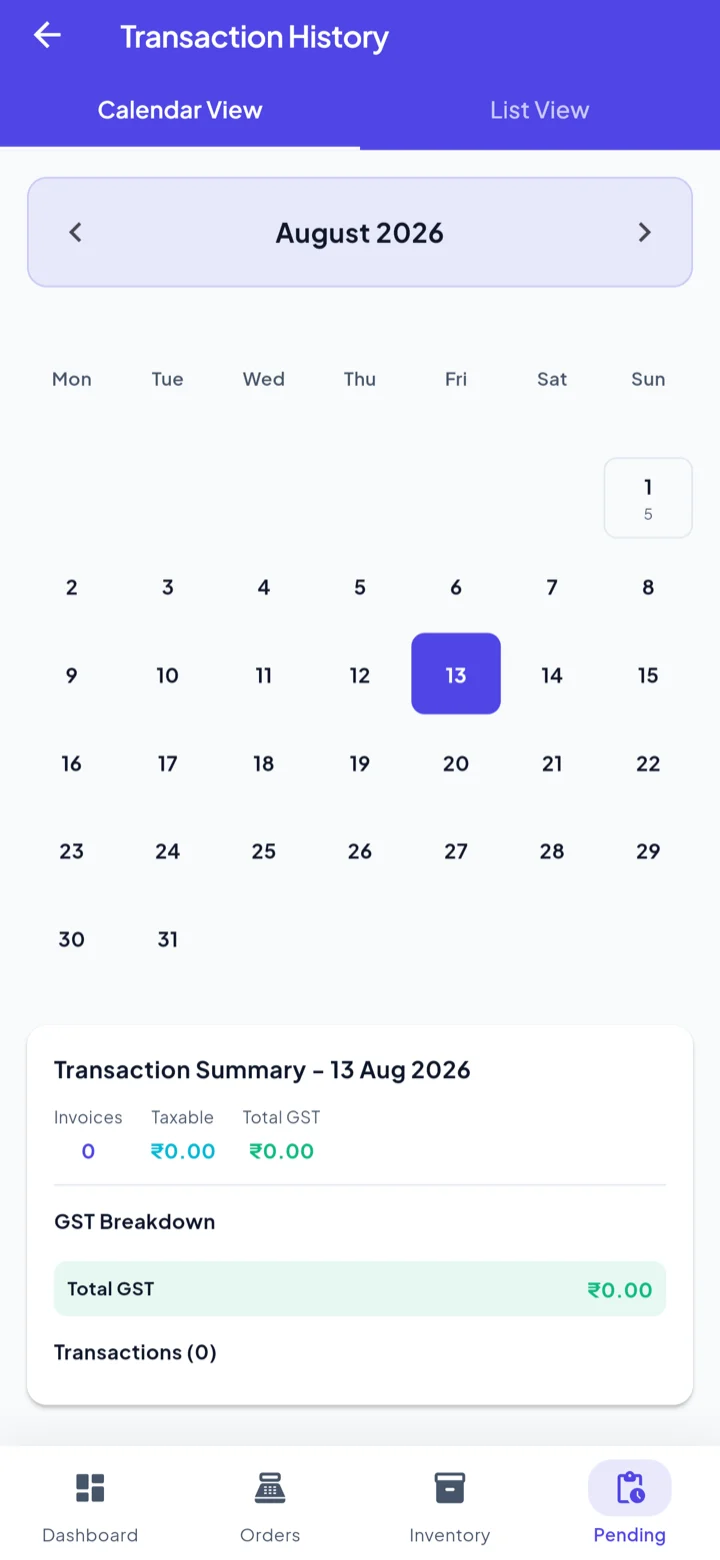
Everything a shop actually uses.
Nothing it doesn't.
We shipped these because kirana owners, chemists and wholesalers asked for them by name.
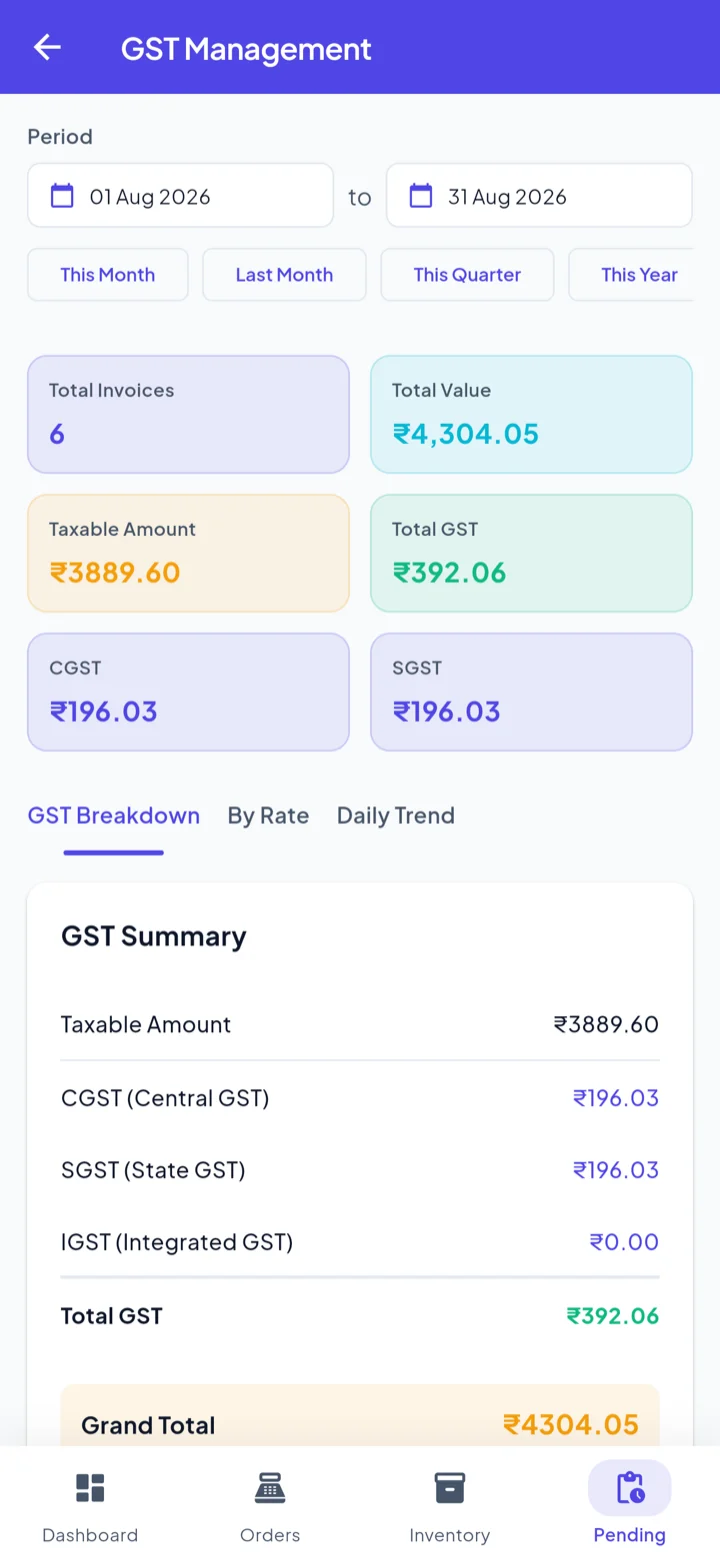
GST worked out per line
Every line carries its own GST rate. The GST screen totals invoices, taxable value, CGST and SGST for any period you pick, split by rate.
Bills when the internet does not
Sales write to the device first. A sync outbox queues the changes and drains to the cloud on its own when the line comes back.
Fourteen reports, no spreadsheet
Daily, weekly and monthly sales; profit and loss; GST; top-selling, slow-moving and unsold stock; purchases; low stock; expiry; customer and supplier.
Stock that warns you first
Low-stock badges sit on the billing grid itself. Batch and expiry are tracked per item, and a discount can fire automatically a set number of days before expiry.
A khata that balances itself
Customer and supplier ledgers side by side. Bills, part-payments and returns post themselves, and the server is the authority on the closing balance.
AI Marketing Suite
Generate a festival banner from a theme and a short prompt, then broadcast the offer to your khata customers or phone contacts over WhatsApp.
Staff who see only their store
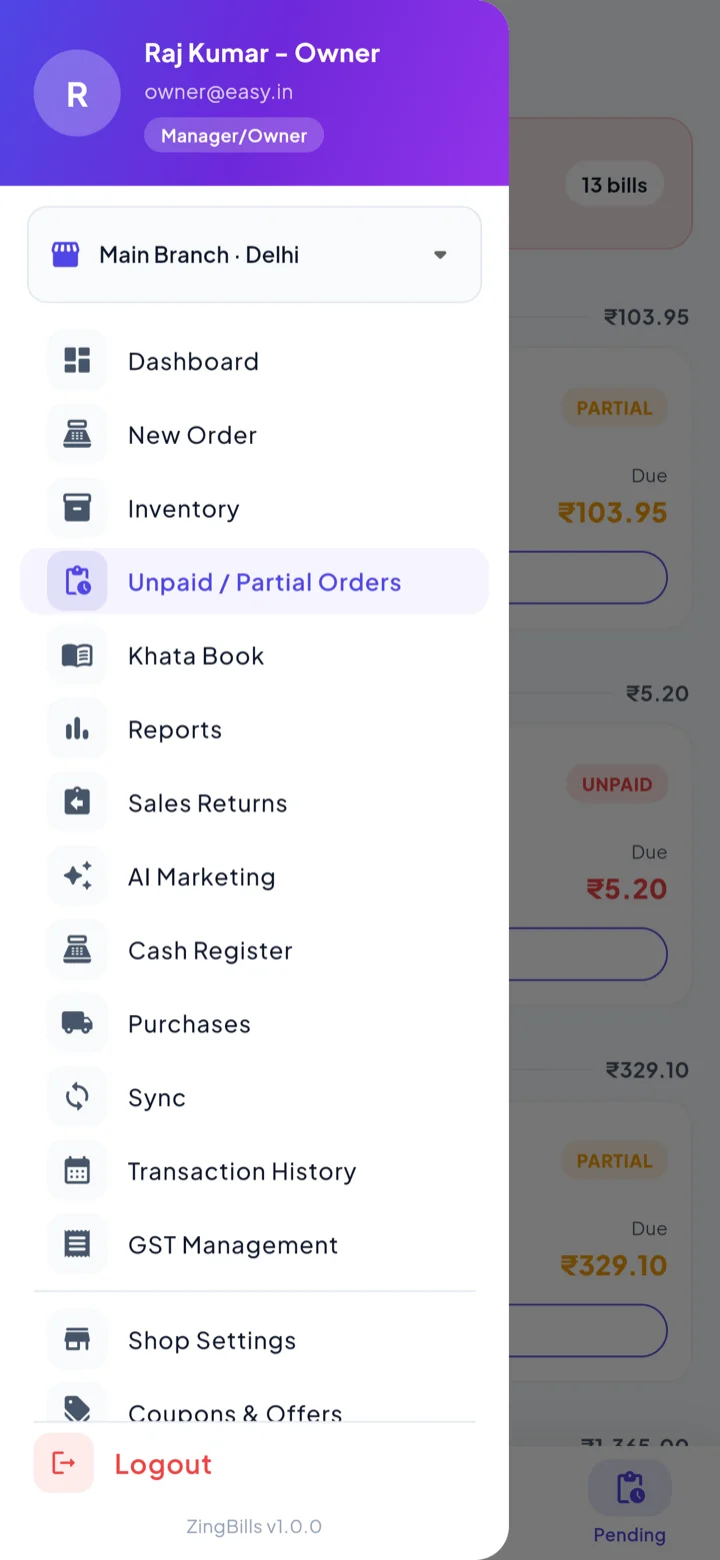
Access is set per module and per store. The counter boy can bill without ever opening your profit report.
Returns without the argument
A credit note is raised against the original bill and settled as a cash refund or store credit. The reversal posts straight to the ledger.
Print, PDF or WhatsApp
58mm Bluetooth thermal receipts at the counter, PDF reports for your CA, and one-tap share to send the bill to the customer.
Kitchen Display System (KDS)
Zero-latency kitchen orders on smart TVs or tablets with live ticking timers and audio chimes.
Billing, stock, counter and books — same login.
Built for a queue at 7 PM
Items sit in a grid under category chips, so the common ones are one tap away. Search by voice, scan a barcode, or just tap. Expiry discounts apply themselves and the running total is read out loud as it changes.
The shelf, without walking to it
Every sale moves the count. Items under your threshold wear a low-stock badge on the billing screen itself, so you see it while selling rather than at stock-take. Batch numbers and expiry dates are tracked per item.
Know exactly who owes what
The khata keeps customers and suppliers as two ledgers. Unpaid and part-paid bills collect on one screen with the total still to be recovered. Returns raise a credit note against the original bill and settle as cash or store credit.
Answers without a spreadsheet
Profit is shown item by item, not just as a monthly figure, so you can see which lines actually earn. The GST screen totals taxable value, CGST and SGST by rate for any period. Reports export to PDF for your CA.
Tuned for the way your trade bills
Same app, different defaults — units, fields and reports change to match your line of business.
No testimonials here yet — on purpose.
ZingBills is a new product. We would rather show you fourteen real screenshots of the app than three quotes from shop owners we made up, which is what most billing websites do.
Everything claimed on this page is a feature you can open and check for yourself in the free plan. When we have customers happy to be quoted by name, their words will appear right here.
Start free. Pay when it earns its keep.
One price per device. No per-invoice charge, no setup fee, cancel any time. Save 2 months with yearly billing.
Basic
1 store, 3 staff / store
- Up to 1 store
- Up to 3 staff / store
- Kitchen Order Tickets (KOT)
- Dine-in & table management
- Recipes / Bill of Materials
- Kitchen stock transfer
- AI marketing tools
- Thermal receipt printing
- Advanced reports
- Item-level discounts
- Food notes on KOT
- UPI Pay-QR on receipts
- Kitchen Display System (KDS)
Standard
3 stores, 9 staff / store
- Up to 3 stores
- Up to 9 staff / store
- Kitchen Order Tickets (KOT)
- Dine-in & table management
- Recipes / Bill of Materials
- Kitchen stock transfer
- AI marketing tools
- Thermal receipt printing
- Advanced reports
- Item-level discounts
- Food notes on KOT
- UPI Pay-QR on receipts
- Kitchen Display System (KDS)
Premium
5 stores, 15 staff / store
- Up to 5 stores
- Up to 15 staff / store
- Kitchen Order Tickets (KOT)
- Dine-in & table management
- Recipes / Bill of Materials
- Kitchen stock transfer
- AI marketing tools
- Thermal receipt printing
- Advanced reports
- Item-level discounts
- Food notes on KOT
- UPI Pay-QR on receipts
- Kitchen Display System (KDS)
Straight answers
Does ZingBills work without internet?
Yes, and this is the part we build around. Bills, stock changes and printing all happen on the device. Anything that needs the server goes into a sync outbox and drains on its own when the connection returns, so a dead router never stops the counter.
What do I need to run it?
An Android phone or tablet for the counter, or any modern browser if you would rather bill on a laptop or desktop — the web app is the same app. Both sign in with the same account and share the same data.
Can I run more than one shop from one account?
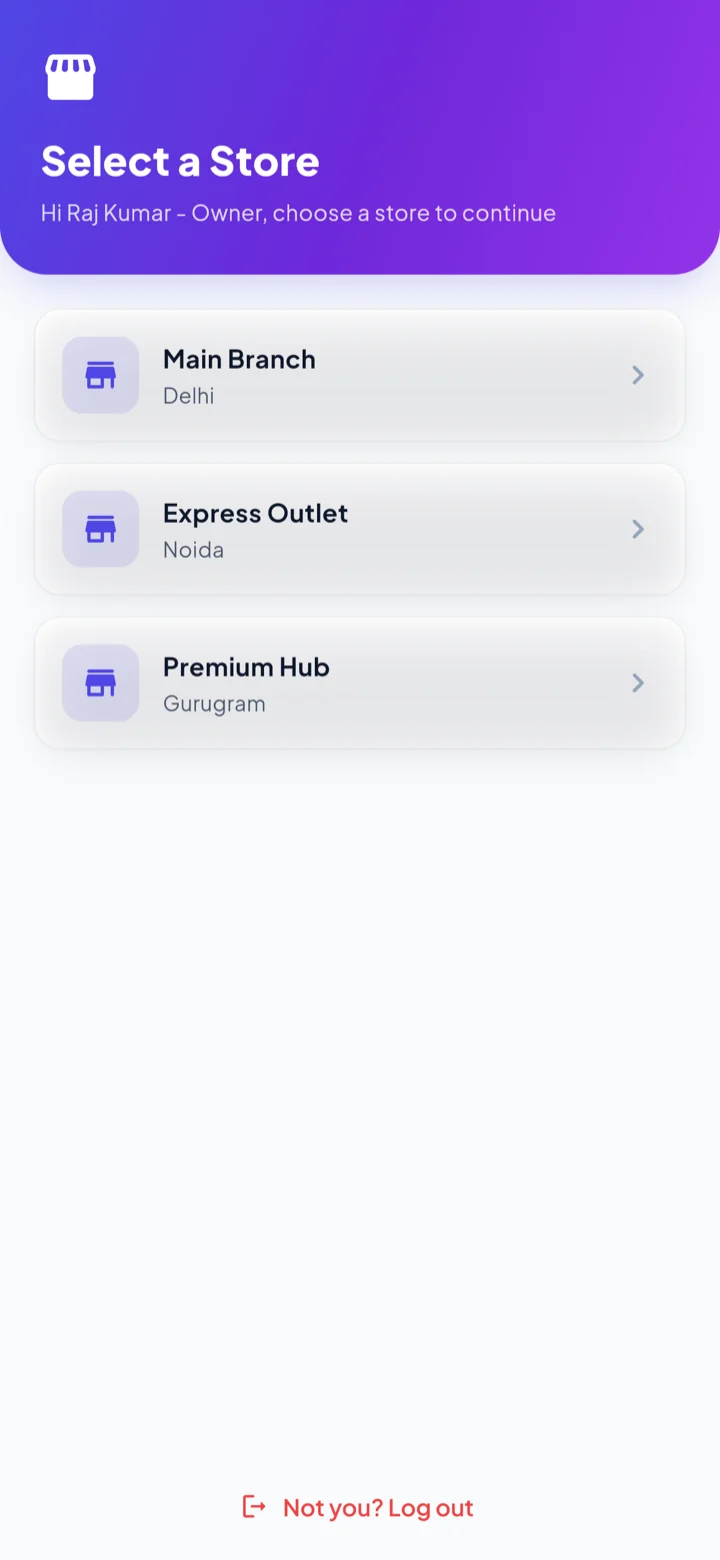
Yes. Stores are separate, and you pick which one you are working in when you sign in. Sales, stock and reports are scoped to the store you have open, so two branches never mix.
Can my staff use it without seeing my profits?
Yes. Access is granted per module and per store, so you can give someone billing and inventory while keeping profit, purchases and settings to yourself. Staff only reach the stores you assign them.
Which printer do I need?
A 58mm Bluetooth thermal printer — the common counter receipt printer. Pair it once in Printer Settings. If you would rather not print, the bill can be shared to the customer directly instead.
Is the app in Hindi?
Yes. The whole interface switches between English and हिंदी from the side menu, and the choice sticks. There is a dark mode in the same place.
What happens to a bill I need to change after saving?
Open bills can be edited after the fact, and a sale can be returned against its original bill. A return raises a credit note settled as either a cash refund or store credit, and the reversal posts to the ledger.
Where does my data actually live?
On your device first, in a local database, and mirrored to our server when you sync. The server keeps automated backups that are restore-tested, so a lost or stolen phone means signing in on a new one — not starting over.
Bill your first customer in the next ten minutes.
Free to start, no card, no sales call. Install, add your shop name, and print.