The whole app,
screen by screen.
Real screenshots of ZingBills running with demo data — no illustrations, no renderings of a product that does not exist yet. Each one comes with what the screen is for and what it changes about your day.
The part you do four hundred times a day
Billing is the screen your staff live on. It is built to be fast with a queue in front of it, and to keep working when nothing else does.
New Order
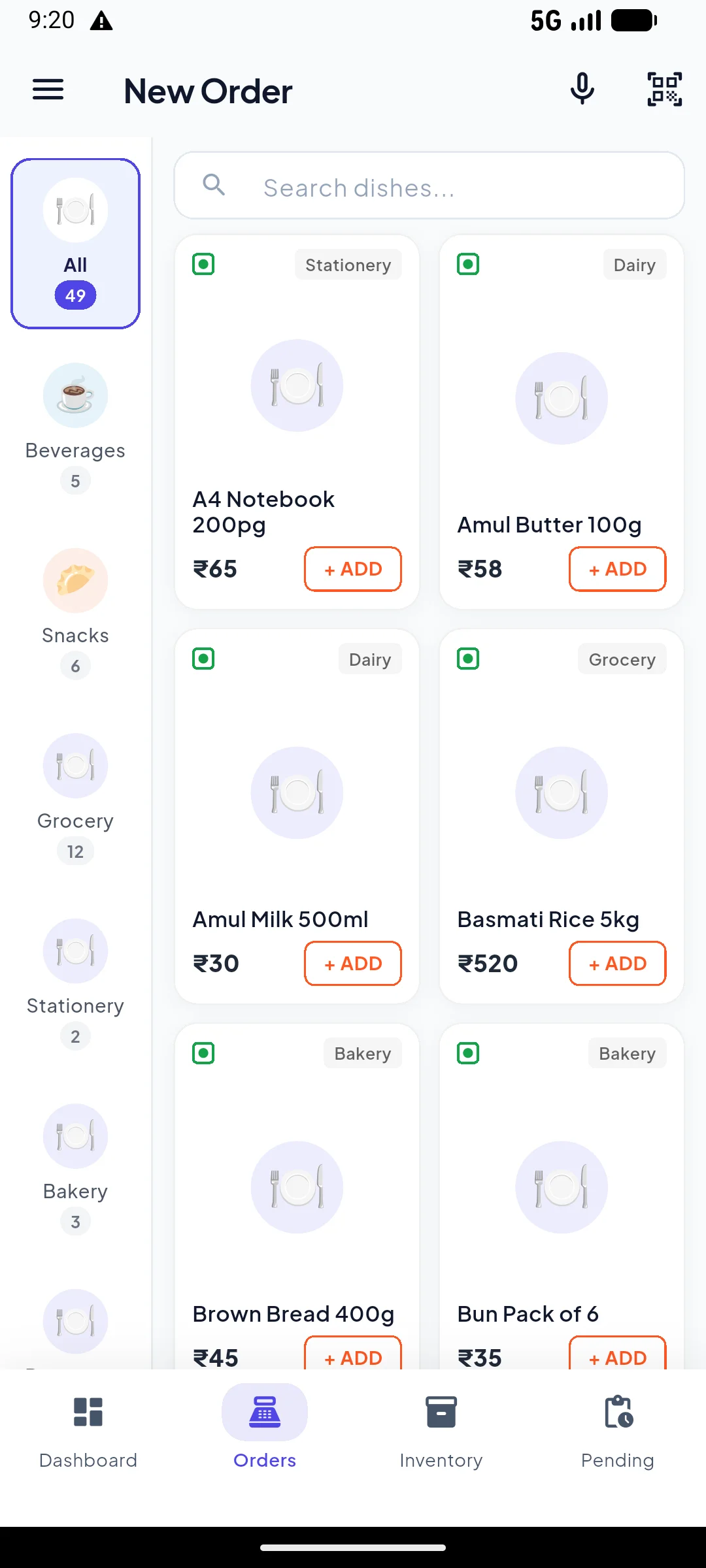
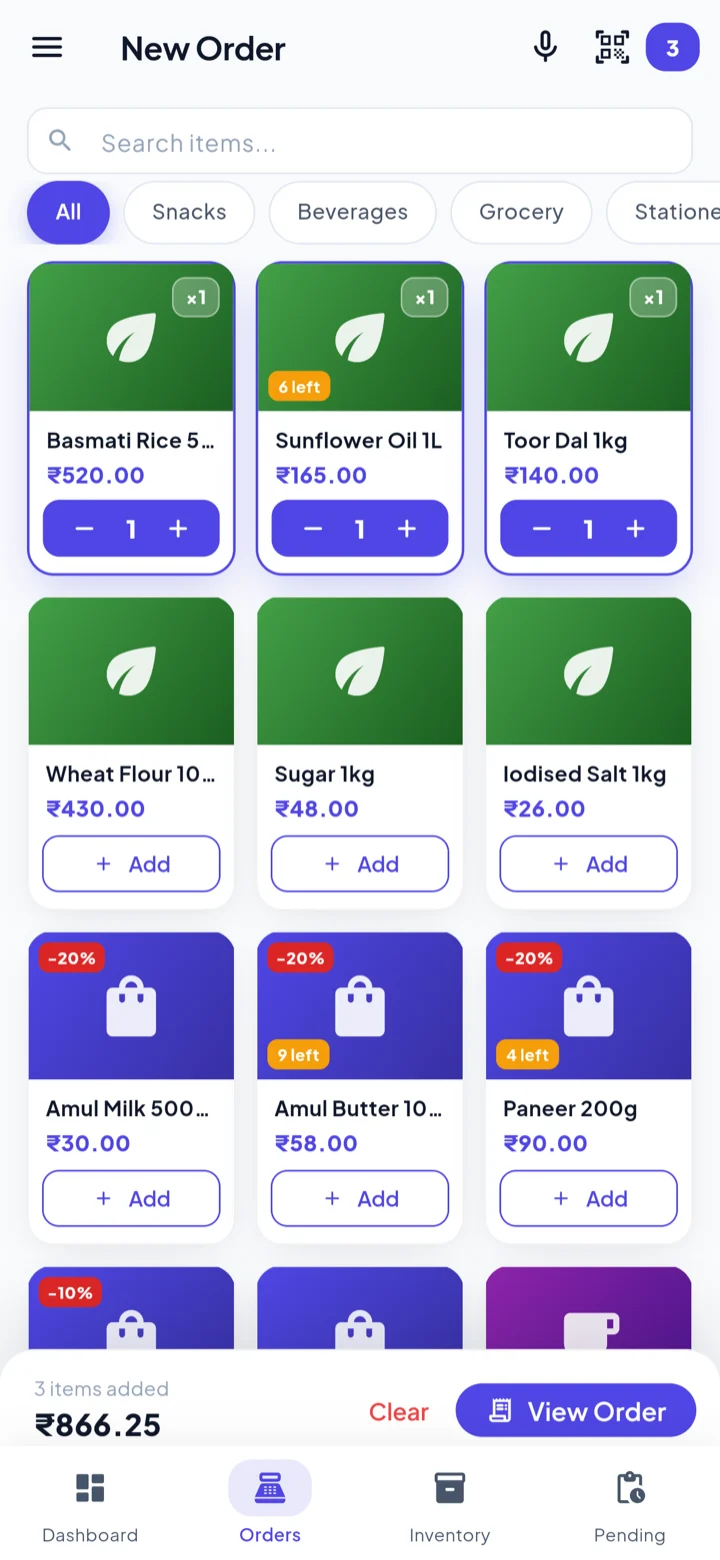
Items sit in a grid under category chips. Tap to add, tap again to increase the quantity. If you would rather not hunt, search by voice or scan the barcode with the camera. The running total is read aloud as it changes, so you can keep bagging goods without looking up.
Two badges do quiet work here. An orange one shows how few are left when an item drops under your threshold. A red one shows a discount that has switched itself on because the item is close to expiry — already applied to the line, no decision needed at the counter.
New staff can bill on their first evening. Nobody memorises item codes, and nobody has to remember which stock needs moving before it turns.
Kitchen Display System (KDS)
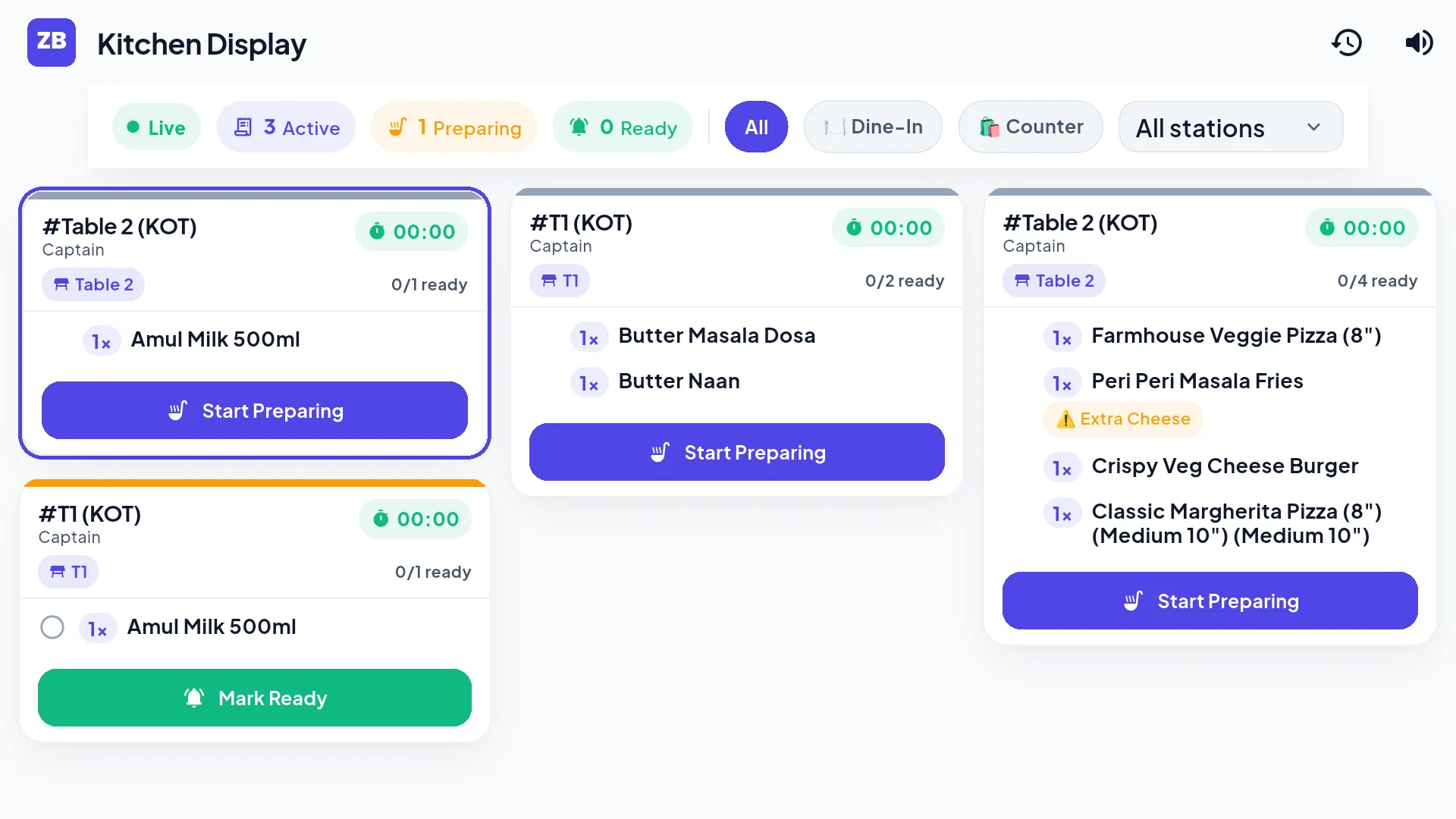
Orders taken on the counter or waiter phone fire instantly to your kitchen TV or tablet screen. No paper tickets getting lost, grease-stained, or misplaced during peak rush hours.
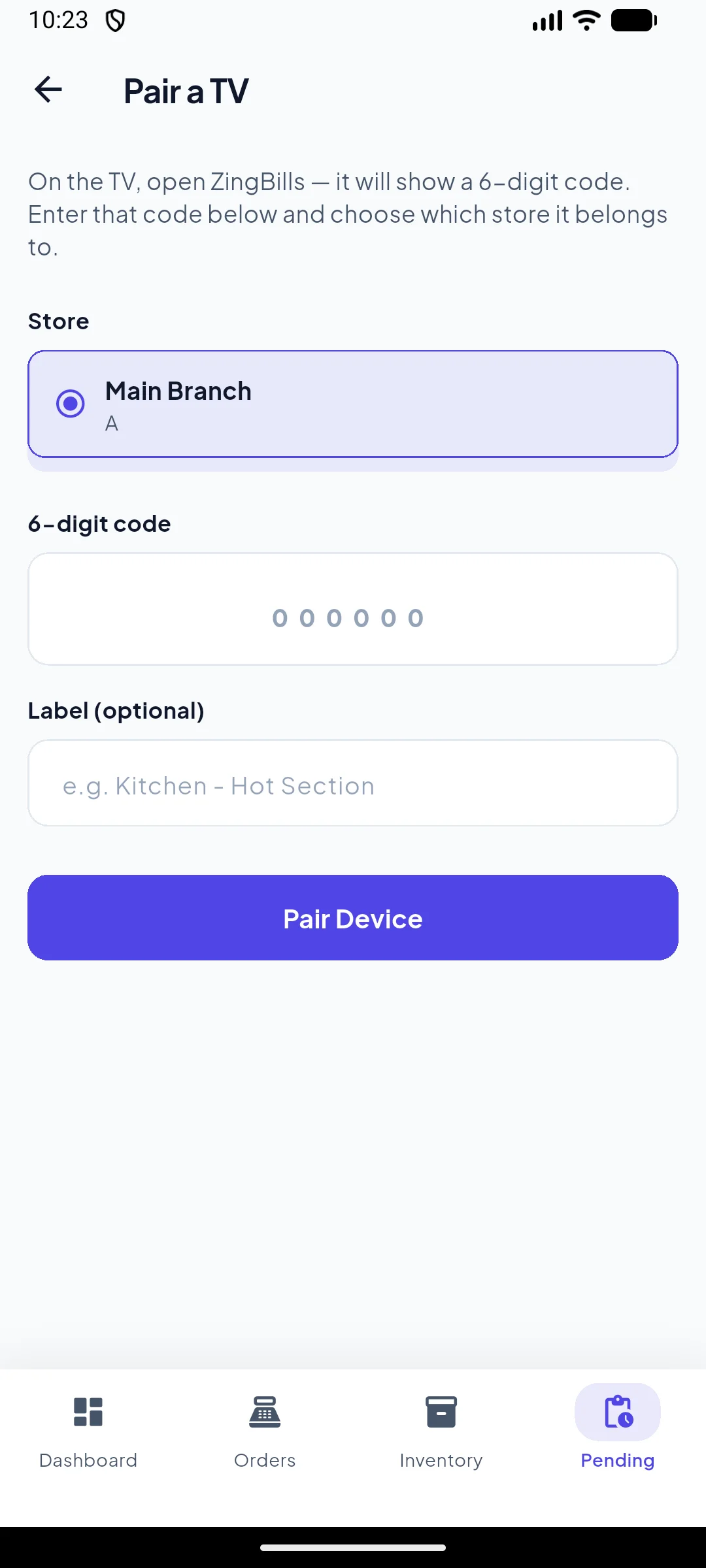
Tickets are color-coded by elapsed wait time with live ticking seconds, audio alert chimes whenever a new KOT lands, and instant ready marking. Pair any Android TV, smart screen, or tablet in seconds with a simple 6-digit code.
Chefs know what to cook first, waiters know the second a dish is ready, and your kitchen runs smoothly without shouting across the floor.
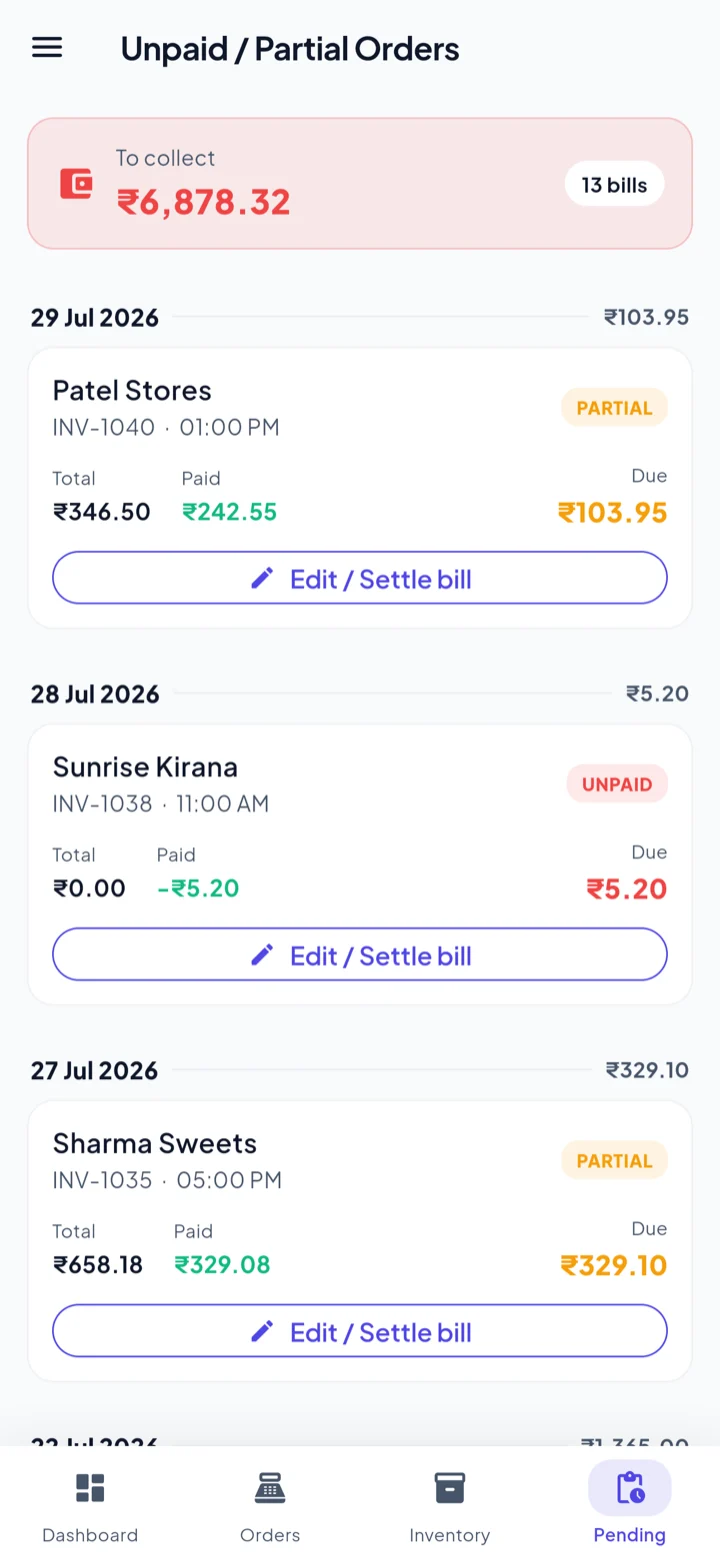
Unpaid & part-paid bills
Credit is how shops actually trade, so it gets its own screen rather than being buried in a report. Everything still owed collects here with the total at the top, and you settle from the same place. The payment posts to that customer's ledger in the khata immediately.
A bill can also be edited after it was saved, which matters when a customer changes their mind two minutes after you pressed save.
You stop carrying the udhaar notebook in your head, and the number you chase is the number the app agrees with.
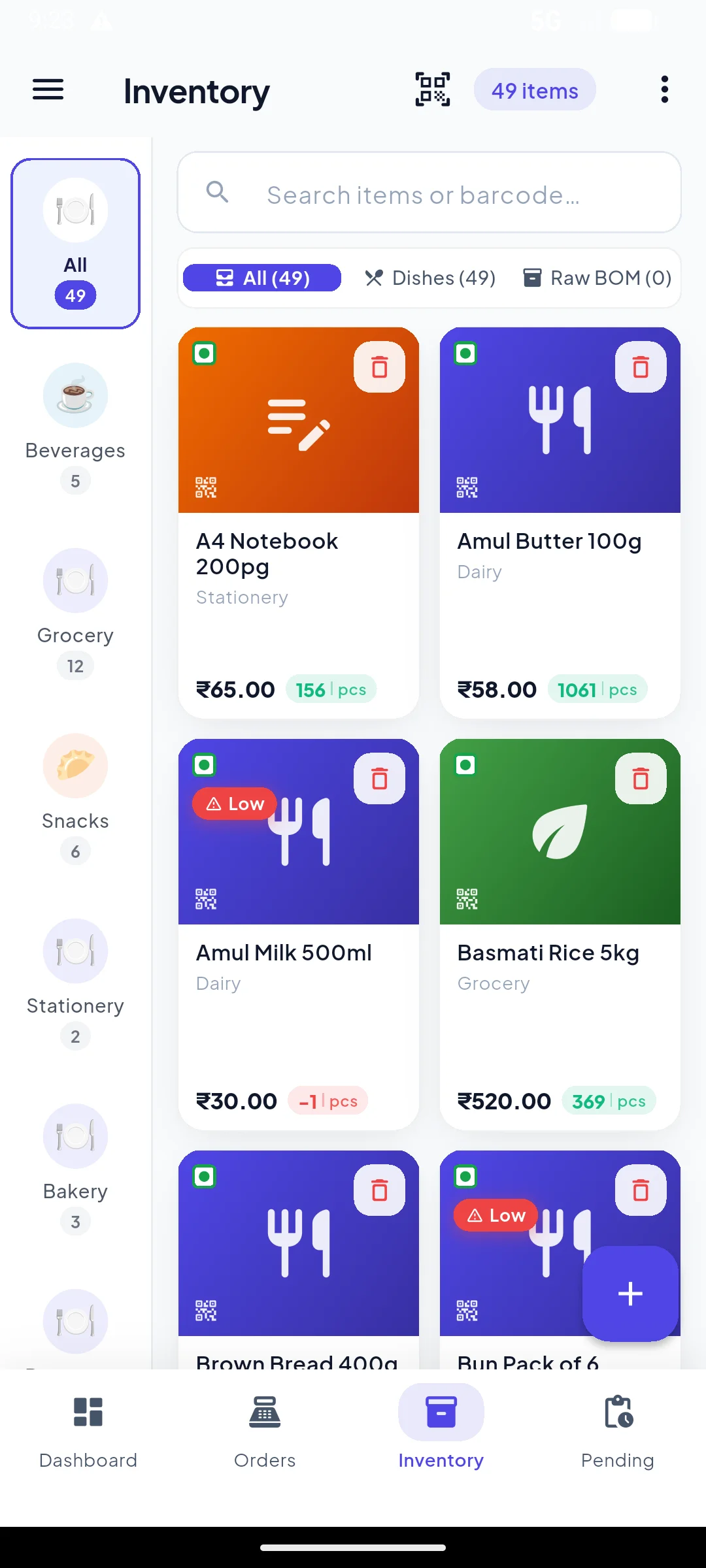
Inventory
One list of what you sell, searchable and filtered by category, with the count moving on every sale. Items under your threshold are tagged so the list itself tells you what to reorder.
Each item can carry a batch number and an expiry date, plus two numbers that do something useful: how many days before expiry to start discounting, and by how much. Set them once and the app handles the rest on the billing screen.
Stock-taking stops being the moment you discover problems. You find out while there is still time to act.
Where the numbers have to agree
Ledgers, returns, purchases and tax. The parts that decide whether you can trust anything else in the app.
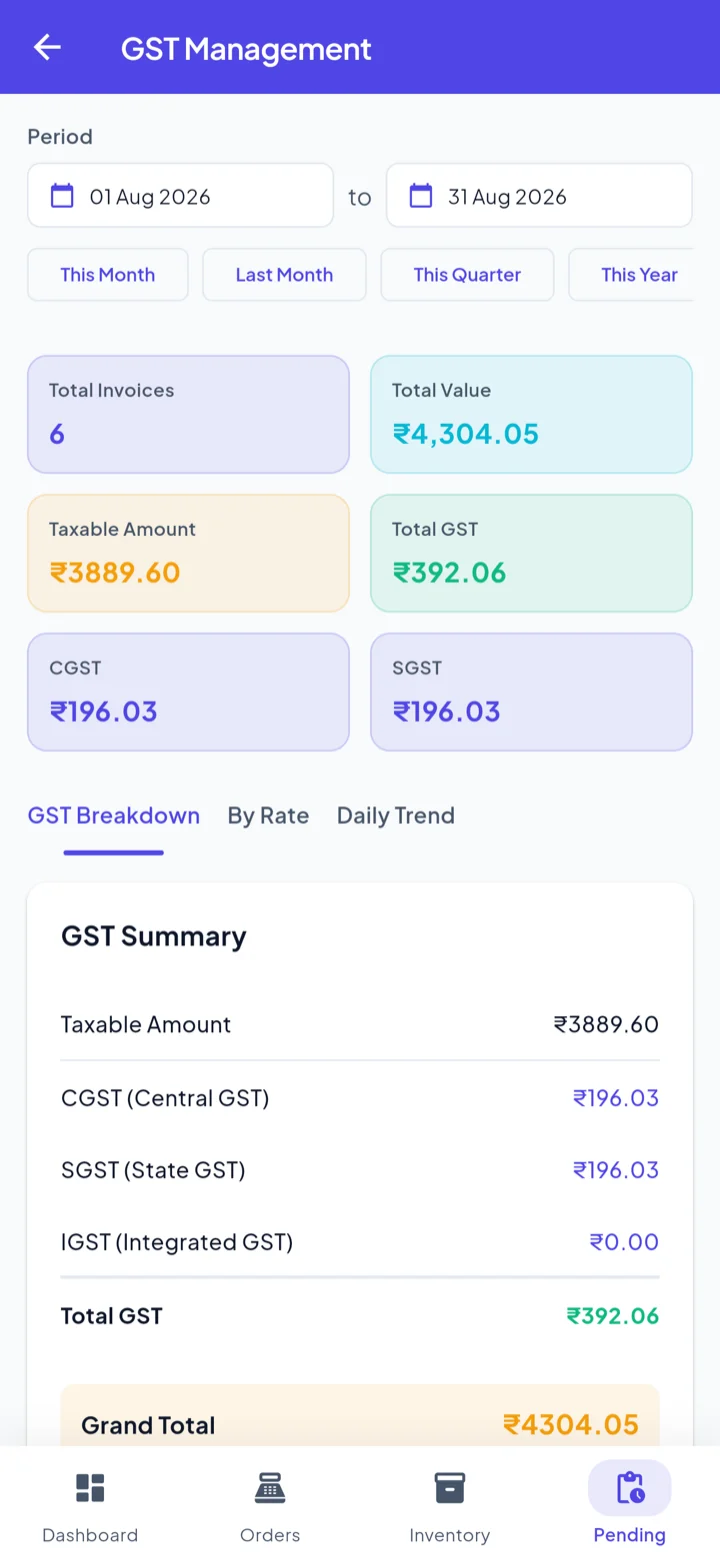
GST Management
The GST rate lives on the item, so it travels into the bill automatically. A receipt mixing 5%, 12% and 18% adds up correctly because each line computed its own discount, taxable value and tax — rather than one rate being applied to a mixed basket at the end.
This screen totals it for whatever window you choose: invoice count, total value, taxable amount, total GST, with CGST and SGST split out and a breakdown by rate.
Your accountant gets the figures in the shape they already wanted, and you did not do arithmetic to produce them.
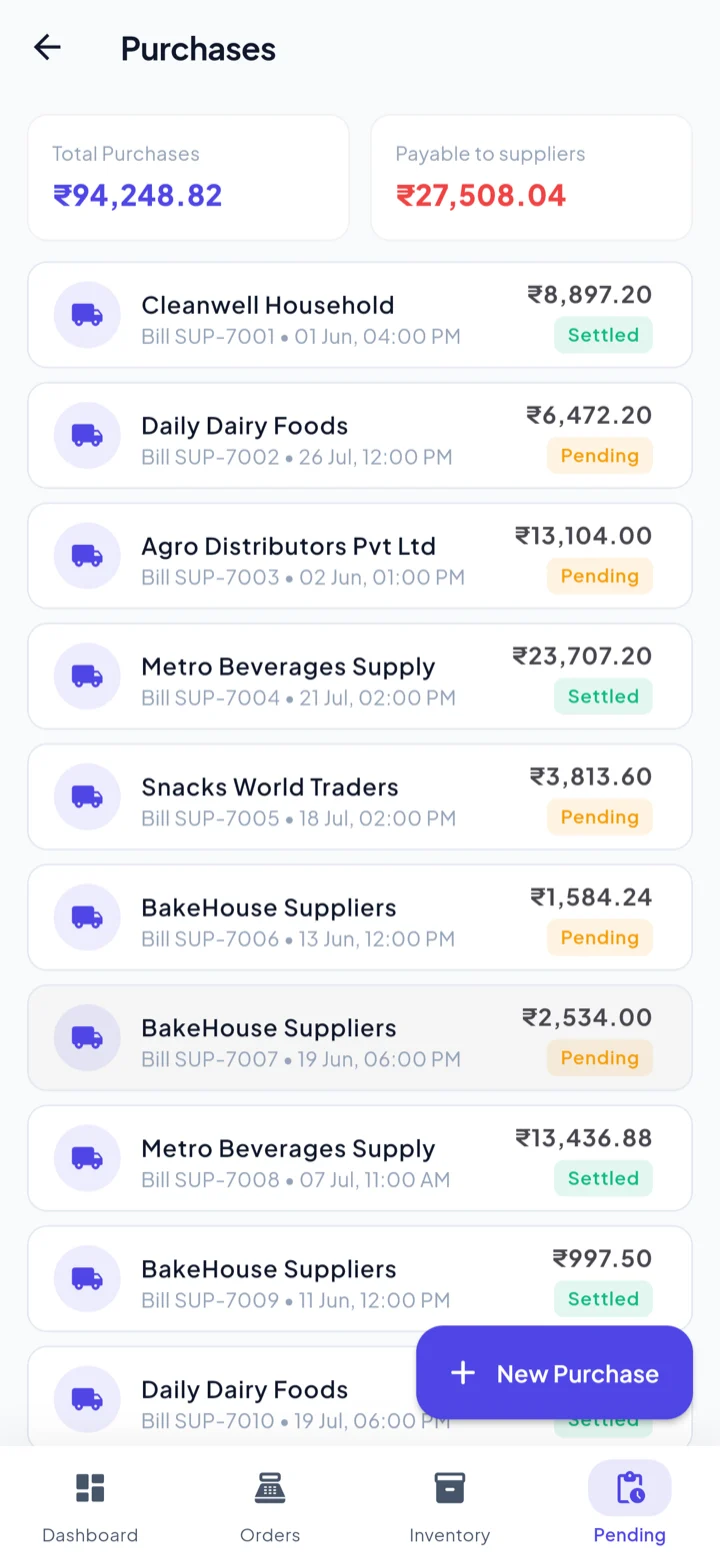
Purchases & history
Record what you buy and from whom, and the supplier side of the khata keeps count of what you owe. Purchase entry is also where your cost prices come from — which is what makes the profit report worth reading.
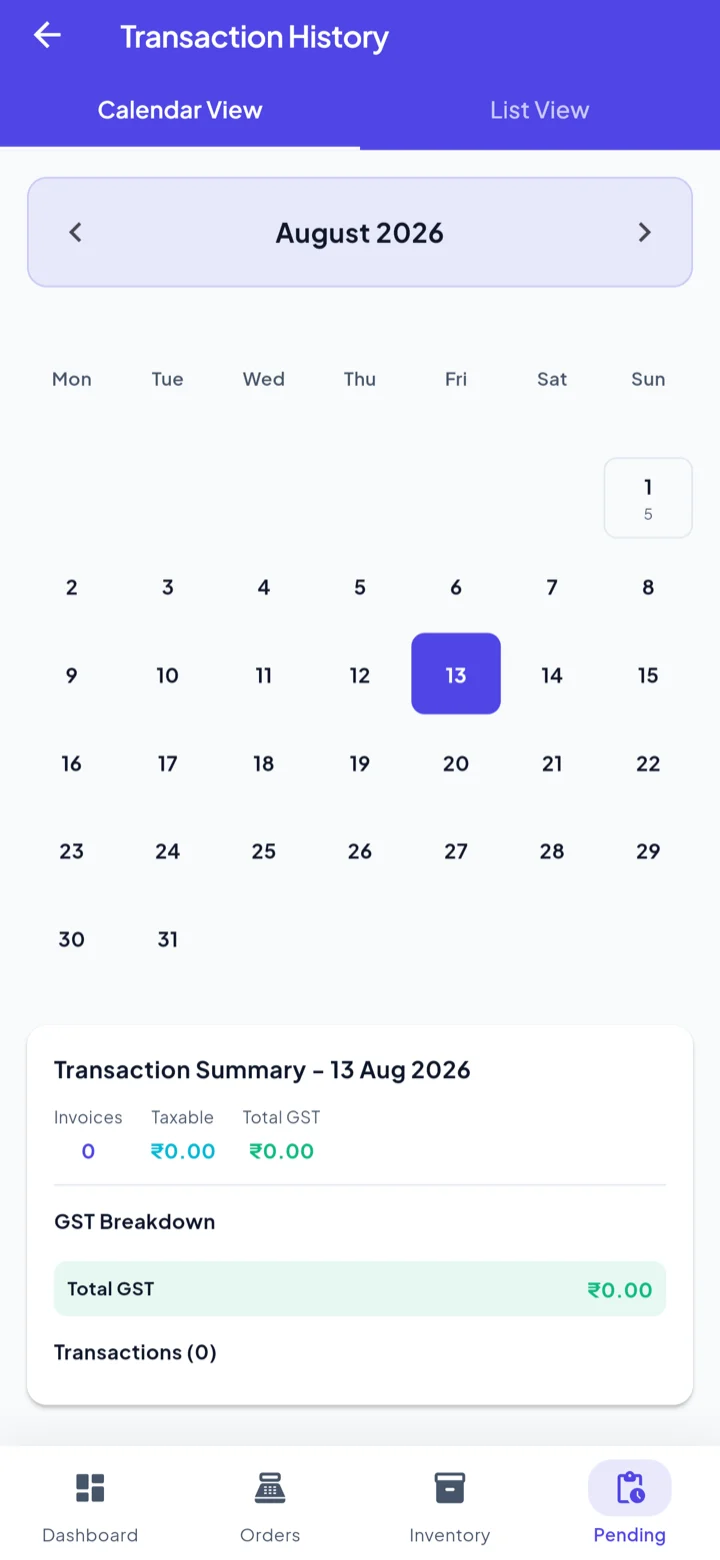
Transaction history gives you the month as a calendar or a list, so "what happened on the 14th" is one tap rather than a scroll through everything.
Both halves of the business are in one place, so profit is a real number instead of an estimate.
Fourteen reports
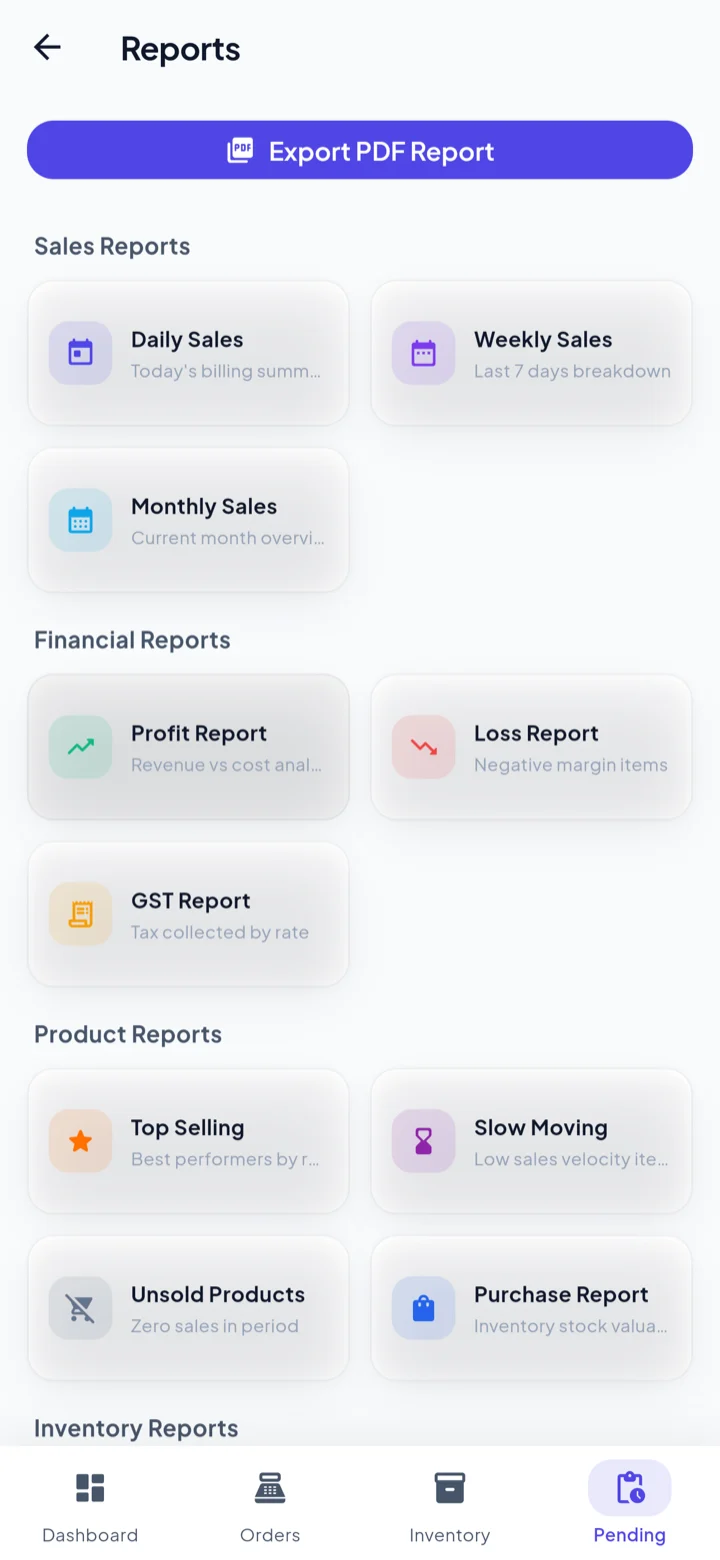
Daily, weekly and monthly sales. Profit and loss. GST. Top-selling, slow-moving and unsold products. Purchases. Low stock and expiry. Customer and supplier balances. They are grouped the way you would ask for them, not the way a database stores them.
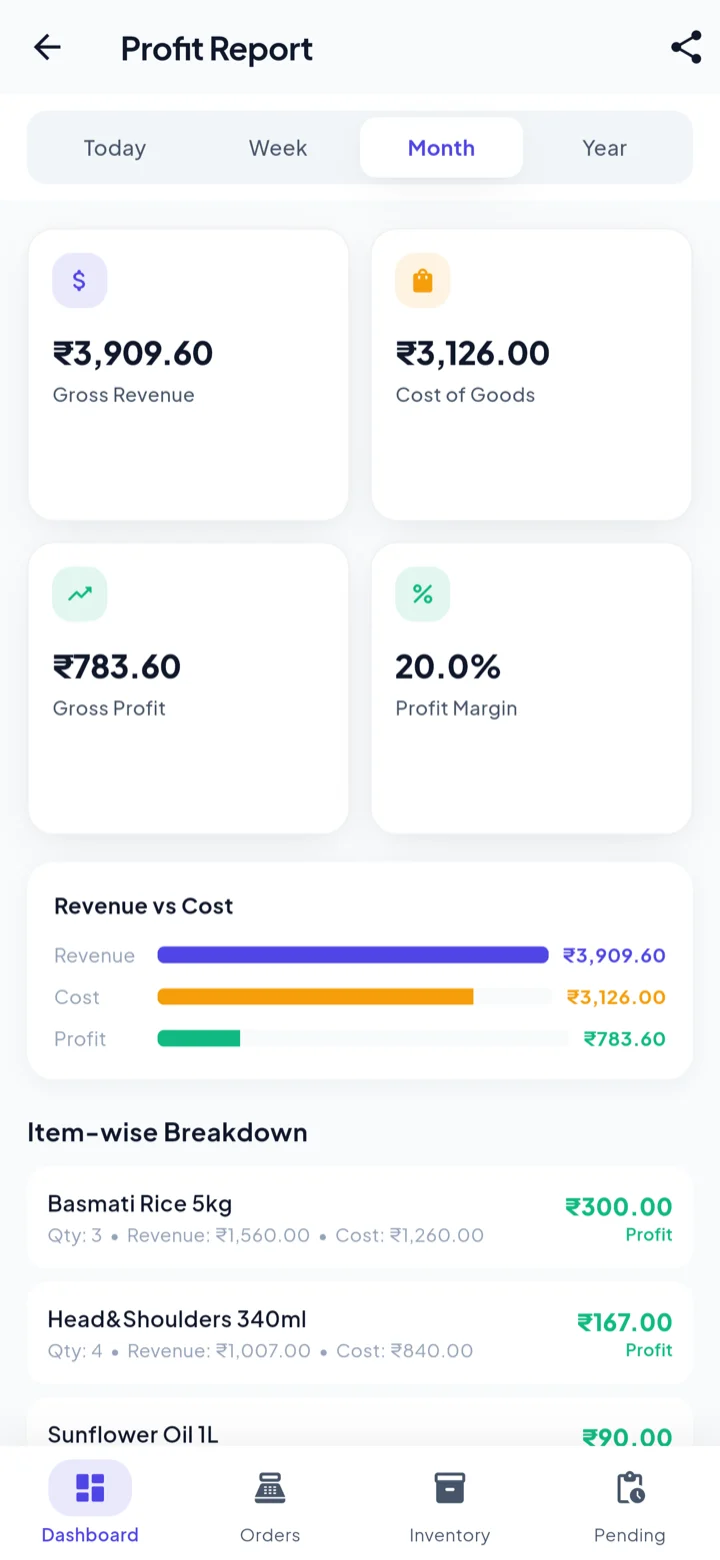
The one to open first is Profit, because it breaks down item by item. A line you sell constantly on a thin margin can earn less than something you sell rarely — and a monthly total will never show you that.
You find out which products are actually paying the rent, and which are just keeping you busy.
Financial years that close themselves
A new way to browse, and stay compliant on, every year of billing — closed or not.
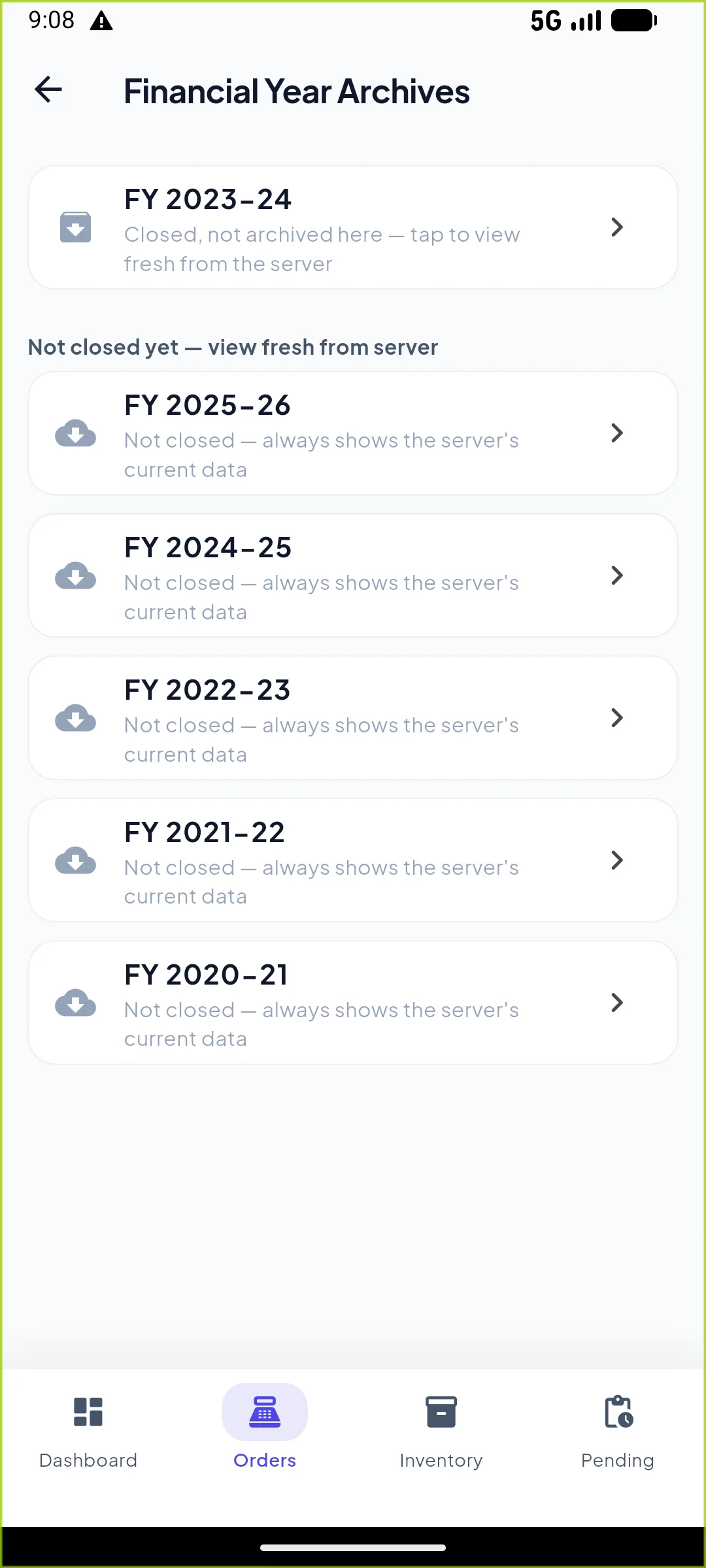
Financial Year Archives
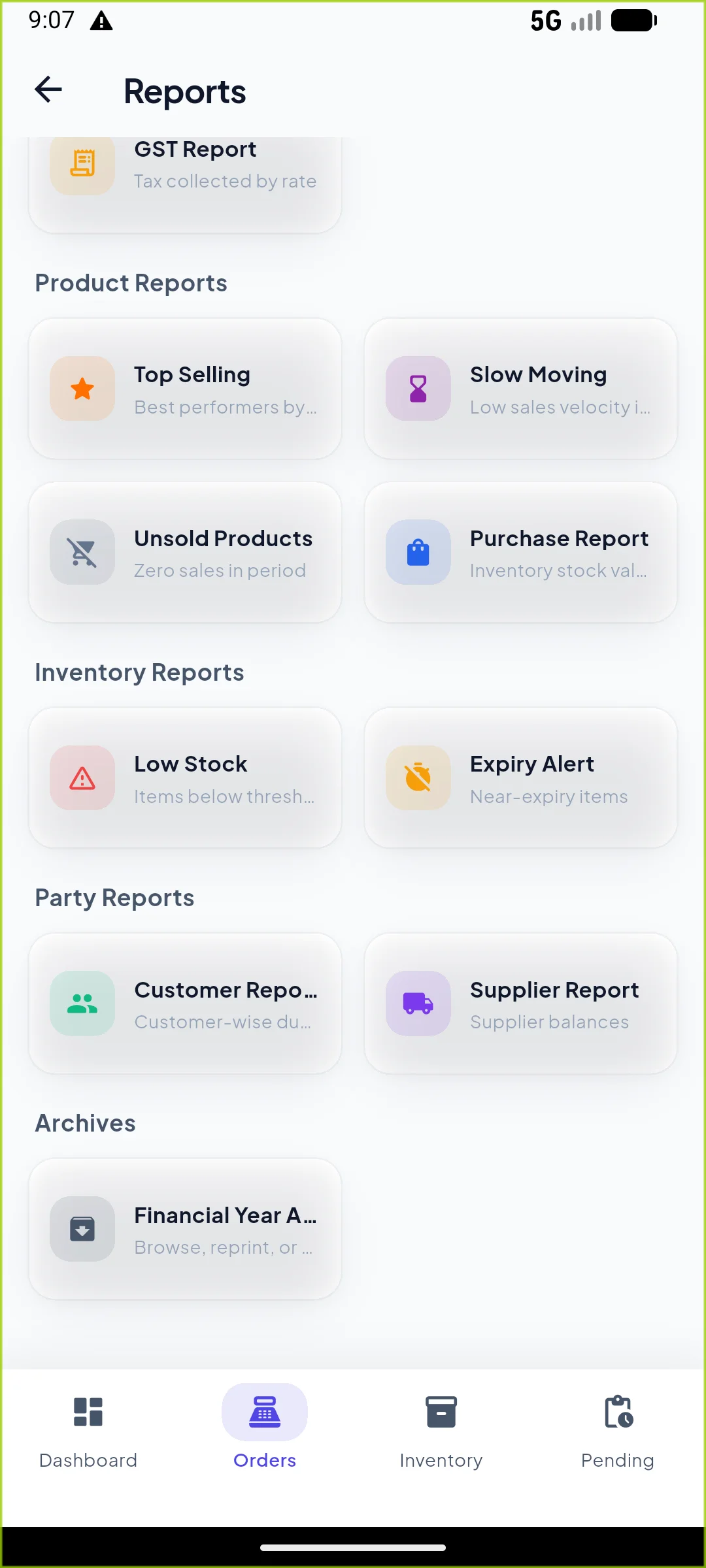
Every past financial year — closed or still open — is one tap away from Reports. A closed year opens its permanent archive; a year that hasn't been closed yet is fetched fresh from the server on the spot, so what you see always matches what's actually on record, even if it was edited from another device or the web app minutes ago.
And if an owner never gets around to closing a year themselves, the app now does it automatically seven months after it ends — the same content-freeze a manual close applies, just on a schedule instead of a button press.
Nothing about last year's books depends on you remembering to click Close, and nothing about this year's app performance depends on how many years of bills you've built up.
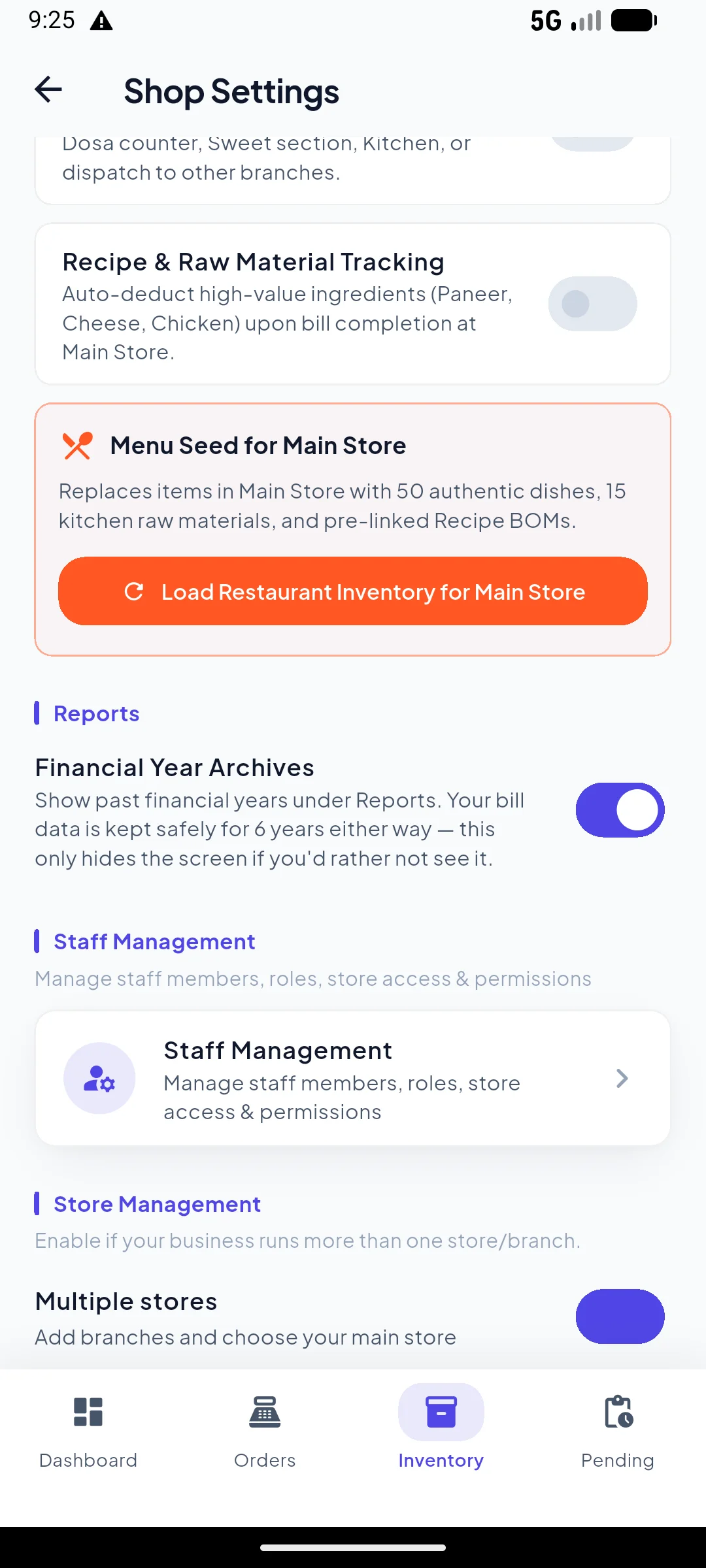
Show it, or don't
Not every owner wants a screen full of old years staring back at them. One switch in Shop Settings hides the Archives entry from Reports entirely, per store.
It only ever hides the screen. Your GST records are kept for the legally required six years regardless of this setting — it changes what you see, never what's kept.
A tidy Reports menu for the owner who only cares about this year, full compliance underneath for the one who gets audited.
More than one shop, more than one person
What changes when you are not the only one billing, and not the only shop.
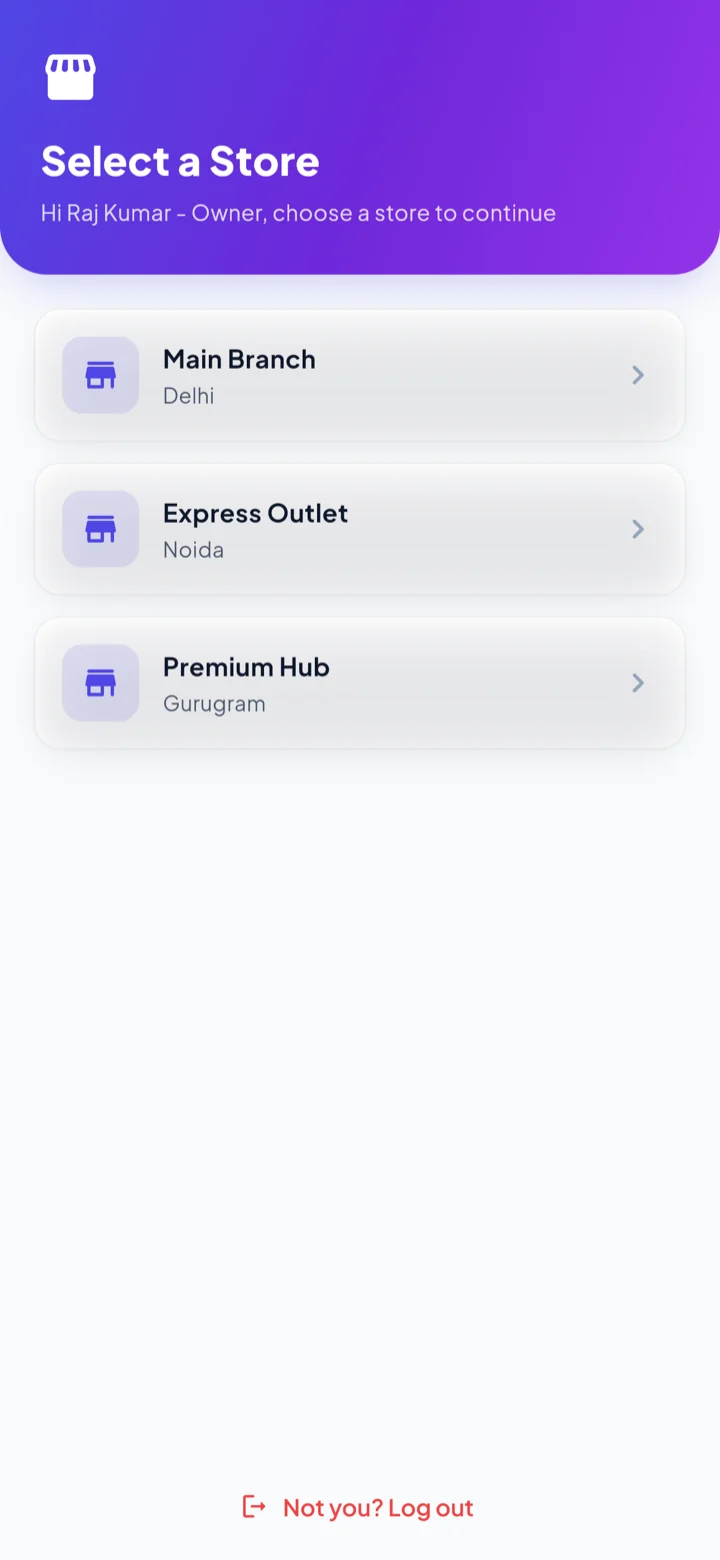
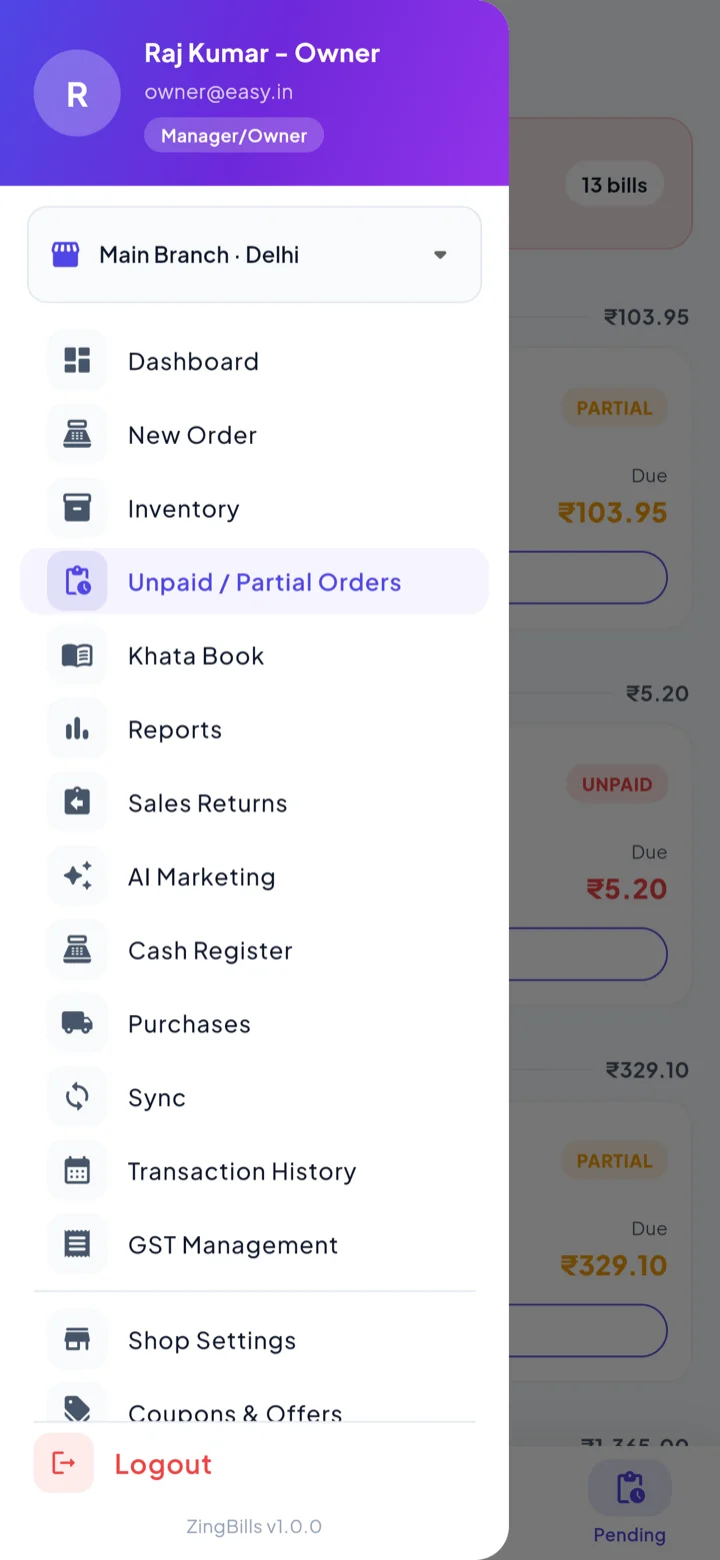
Stores and staff
You choose which store you are working in when you sign in, and everything after that — sales, stock, parties, all fourteen reports — belongs to that store. Two branches never blur into one number.
Staff are given access per module and per store. Billing and inventory without profit reports is a normal setup. So is billing without purchases, which is where your buying prices are. Someone assigned to one branch cannot sign into another.
You can hire help for the counter without handing over your margins, and compare branches on numbers that were never mixed together.
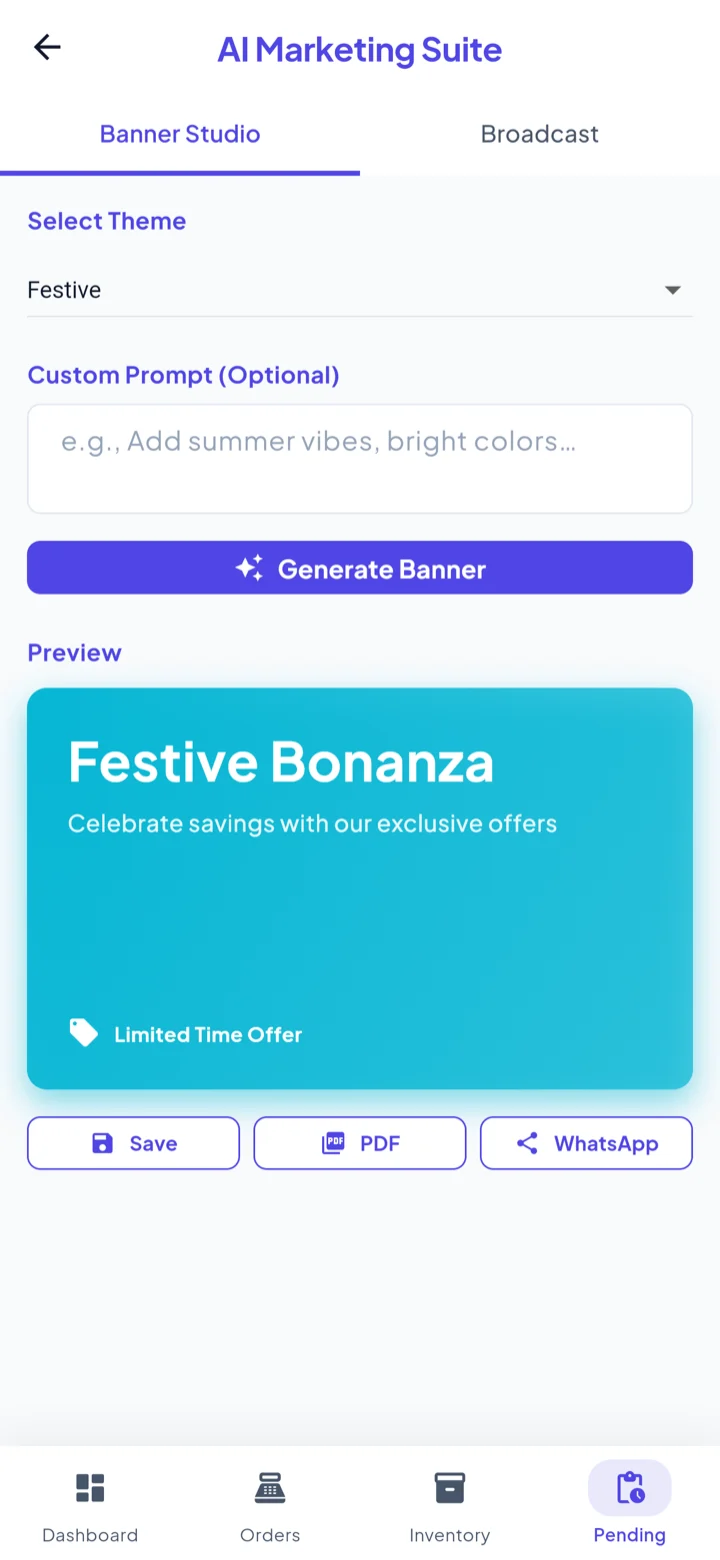
AI Marketing Suite
Two tabs. Banner Studio generates a promotional banner from a theme and an optional line of your own, and hands you Save, PDF and WhatsApp. Broadcast sends an offer to a list you choose — your khata customers, or contacts from the phone.
It sits inside the billing app on purpose: the customers you would message are already in it, and so are the items you would put on offer.
A festival offer goes out the same evening you thought of it, without a designer and without exporting a customer list anywhere.
Offline, sync and the rest
Bills are written to a database on the device, so nothing about saving a sale or printing a receipt waits for a server. Changes that need to reach the cloud queue in a sync outbox and drain by themselves when the connection returns. If something cannot be applied, it is shown to you on a Sync screen rather than failing quietly.
Elsewhere in the app: a cash register for the day-end tally, sales returns that raise a credit note against the original bill and settle as cash or store credit, coupons and loyalty points, 58mm Bluetooth thermal printing, a support desk, dark mode, and the whole interface in English or हिंदी.
The worst evening — full shop, dead router — is an evening where nothing about your billing changes.
Every module in the app
All of it is in the side menu of the same app. There is no separate purchase for any of these.
New Order
Tap-to-bill grid with category chips, voice search, barcode scan and a spoken running total.
Kitchen Display (KDS)
Real-time kitchen order tickets on smart TVs and tablets with live timers, audio chimes and table-wise item tracking.
Inventory
Items with price, stock, batch, expiry and a low-stock threshold you set per item.
Unpaid & part-paid
Everything still to be collected on one screen, settled straight into the ledger.
Khata Book
Customer and supplier ledgers, kept as two sides with the server settling balances.
Reports
Fourteen of them, across sales, financial, product, inventory and party.
Sales Returns
A credit note against the original bill, settled as cash refund or store credit.
AI Marketing
Banner Studio for promotional artwork, Broadcast for WhatsApp offers to your customers.
Cash Register
Open and close the drawer, with the day-end tally against cash sales and refunds.
Purchases
What you bought, from whom, and what is still payable to each supplier.
GST Management
Taxable value, total GST and the CGST/SGST split, by rate, for any period.
Transaction History
The month as a calendar or a list, so a given day is one tap away.
Sync
The outbox that drains when you reconnect, and the screen that shows anything stuck.
Staff & Stores
Access granted per module and per store, with staff limited to the branches you assign.
Coupons & Offers
Percent or flat discounts with a minimum order, usage cap and expiry date.
Printer Settings
Pairing for 58mm Bluetooth thermal receipt printers.
Financial Year Archives
Browse, reprint or export any past financial year — closed automatically 7 months after it ends if you never close it yourself.
Support Desk
Raise a ticket with an attachment from inside the app and track its status.
What ZingBills does not do
Worth saying plainly, because a lot of billing websites are vague about it. There is no Windows desktop build — the app runs on Android and in the browser. There is no Tally import or export. E-invoice IRN and e-way bill generation are not built in, and there is no IMEI or serial-number capture.
If your shop depends on one of those, we would rather you knew now than after you moved your data across.
Open the app and check every screen on this page.
The free plan needs no card. Everything above is a screen you can reach yourself.