1
Change a price in the app
On the phone or the counter PC, the same way you always edit your menu. Or switch a dish off when it runs out.
ZingDisplay turns any Android TV, Fire TV Stick or smart-TV browser into a live TV menu for your restaurant, café or shop. Prices, photos and availability come straight from the menu you bill from — change a price on your phone and every TV shows it within seconds. A dish that runs out shows Sold Out by itself, and a happy hour shows the offer price with the old one struck out.
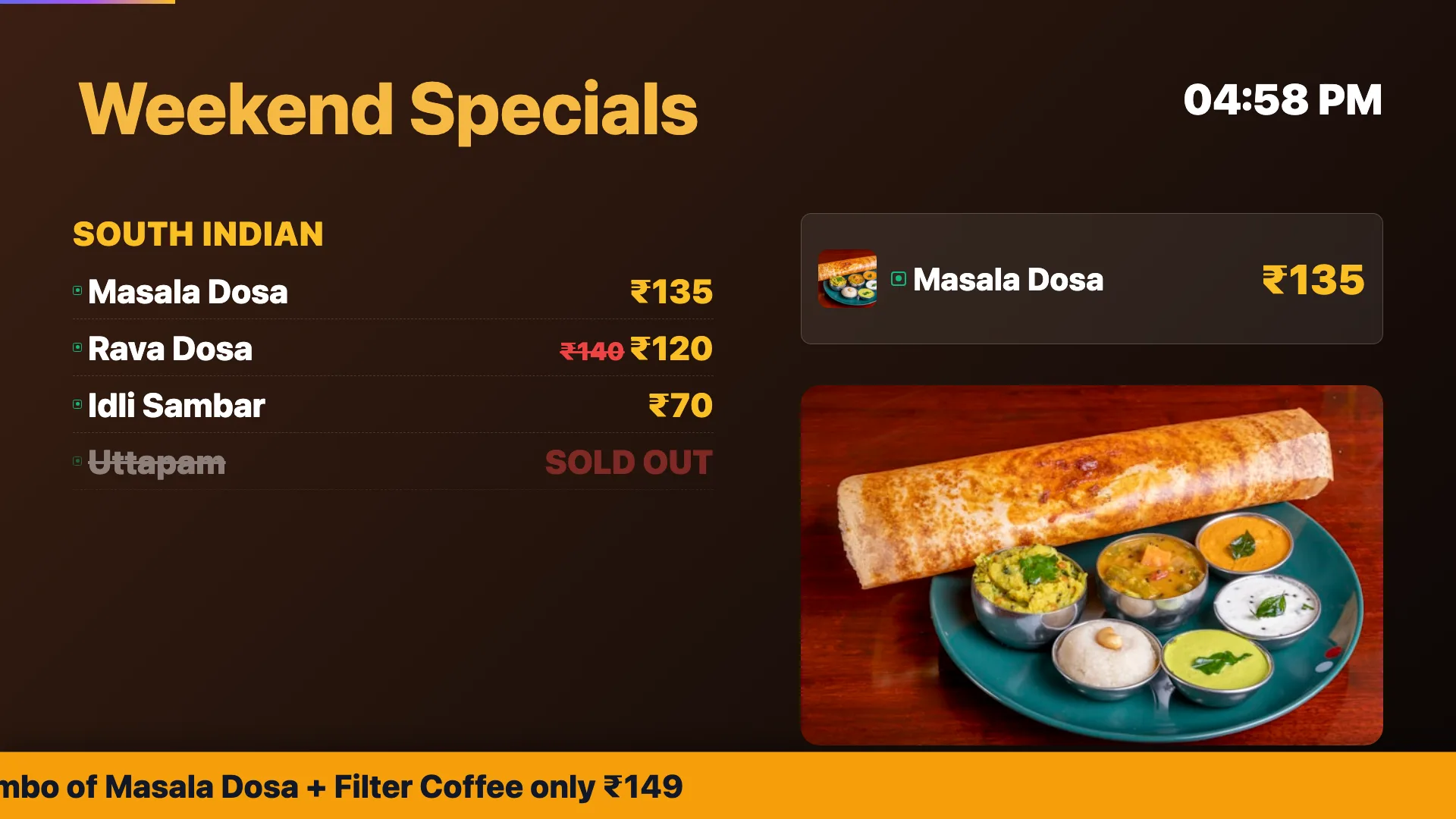
Most TV menu boards are a picture or a slideshow somebody has to edit by hand, so the price on the wall drifts away from the price at the counter. ZingDisplay reads your billing menu directly. Edit a price, a dish name, a photo or a category in the ZingBills app and the menu TV updates on its own — no pen drive, no re-designing, no reprinted flex.
It works the other way too: when the counter sells the last plate, the TV says Sold Out; with only a few left it says Only 2 left; switch a dish off and it reads Unavailable · Back at 2:30 PM. Customers stop ordering what you no longer have.
The TV can never show a price the counter does not charge, and the menu on the wall is always today's menu.
On the phone or the counter PC, the same way you always edit your menu. Or switch a dish off when it runs out.
The server sends the change to every TV of that outlet at once over a live connection — no waiting for the next refresh.
The new price, Sold Out or offer appears on screen within seconds, on every TV of that outlet.
A happy hour you set in ZingBills shows on the TV with the offer price and the old price struck out, and ends on time by itself. The counter charges the same price.
Takeaway tokens move from Preparing to Ready on the TV as the kitchen bumps them on the Kitchen Display, with a chime — no shouting numbers across the counter.
A slide of today's or this week's best-selling dishes, worked out from your own bills, plus near-expiry deals and a “try something new” slide for slow movers.
Show a big QR code that opens your online ordering page, so customers waiting in the queue can order and pay from their own phone.
Mix menu slides with dish photos, short videos and background music. Videos are saved on the TV, so they keep playing even if the internet is slow.
Schedule a different menu for each part of the day, run a festival offer between two dates, and switch TVs on and off with your opening hours.
Pick a goal and a colour style and ZingDisplay lays out finished designs from your own dishes, photos and prices — or design your own on a drag-and-drop canvas. Portrait TVs get their own layout.
Get an e-mail if a TV stops showing your menu during opening hours, and another when it is back.
A report of what each TV actually showed, slide by slide and hour by hour — useful when a brand pays you to promote its product.
On an Android TV, a TV box or a Fire TV Stick, install the ZingDisplay TV app (below) and open it. The TV shows a pairing code like ZD-123456 and a QR code.
Scan the QR on the TV with your phone, or type the code in the ZingBills app or on the website under My TVs. Nobody types a password on the TV remote.
Your billing menu, a design, a token board or a playlist of all of them. Change it any time from the app or the website.
Made for a TV remote: it starts by itself when the TV is switched on, keeps your menu and videos saved on the TV, and keeps playing the last menu if the internet drops. Works on Android TV, Google TV, Android TV boxes and Amazon Fire TV Stick.
On a Fire TV Stick or a TV without a browser download, install the free Downloader app on the TV and type zingbills.in/download/zingdisplay-tv.apk. Any smart TV with a web browser can open zingbills.in/tv instead.
Running a kitchen too? See the Kitchen Display System, or how ZingBills fits a restaurant & café, a QSR or a bakery & sweet shop.
A digital menu board is a TV screen that shows your menu, prices, photos and offers instead of a printed board. ZingDisplay is a digital menu board that reads its prices and availability live from your ZingBills billing menu.
Yes. Change a price, name, photo or category in the ZingBills app and every TV of that outlet shows the change within seconds. There is nothing to edit or upload on the TV itself.
Yes. When the counter sells the last portion the TV shows Sold Out, with a few left it shows Only N left, and a dish you switch off shows Unavailable with the time it is back.
Any Android TV or Android TV box, an Amazon Fire TV Stick with the ZingDisplay TV app, or any smart TV whose web browser can open the ZingDisplay player link. Landscape and portrait screens are both supported.
Yes. Mix menu slides with photos, videos, background music, a scrolling offer ticker, a Now serving token board for takeaway, best-sellers from your own sales and a scan-to-order QR code. Happy hours show the offer price with the old price struck out.
The TV keeps showing the last menu it received, and videos and music are saved on the TV so they keep playing. When the connection returns, the TV catches up with any changes. You can also get an e-mail if a TV goes offline during opening hours.
Yes. There are Only ZingDisplay plans for shops that just want menu TVs; you can type the menu into ZingDisplay yourself. Plans with billing plus ZingDisplay give you the live sync from the billing menu.
It depends on the plan, from one TV upward, and each outlet can have its own menu. See the pricing page for the number of TVs in each plan.
Free to start, no card, no sales call. Add your restaurant or shop name, your menu, and print.