🖨️
Several kitchen printers
Give each LAN printer its categories — Tandoor, Chinese, Bar — and one order prints a separate slip at every station that has work in it. The number of printers depends on the plan.
Send a Kitchen Order Ticket from the counter or a waiter's phone and it prints in the kitchen in seconds — on a 58 mm or 80 mm thermal printer over Bluetooth, USB or LAN. The table or token number stands out, notes and allergies can't be missed, the Bar gets only the drinks, and the KOT number on the slip is the same on the Kitchen Display and on the bill.
Sample slip, laid out exactly as ZingBills prints it (58 mm).
Only one line is printed big: Dine In | Table 5 or Takeaway | Token 12, so the cook knows where the food goes before reading anything else. Then the KOT number and time, the waiter, and every dish in bold with its quantity.
Choices made with the dish print under it (“- BREAD: Multigrain”) and the waiter's notes print as >> extra spicy — two different marks, because a cook must tell “add this” from “read this”. A rush order prints *** RUSH *** in white on black, and a second copy is marked *** REPRINT *** so nobody cooks it twice. Prices never print on a KOT.
Fewer wrong tables, fewer missed instructions, and no “was this the same order again?” at peak hour.
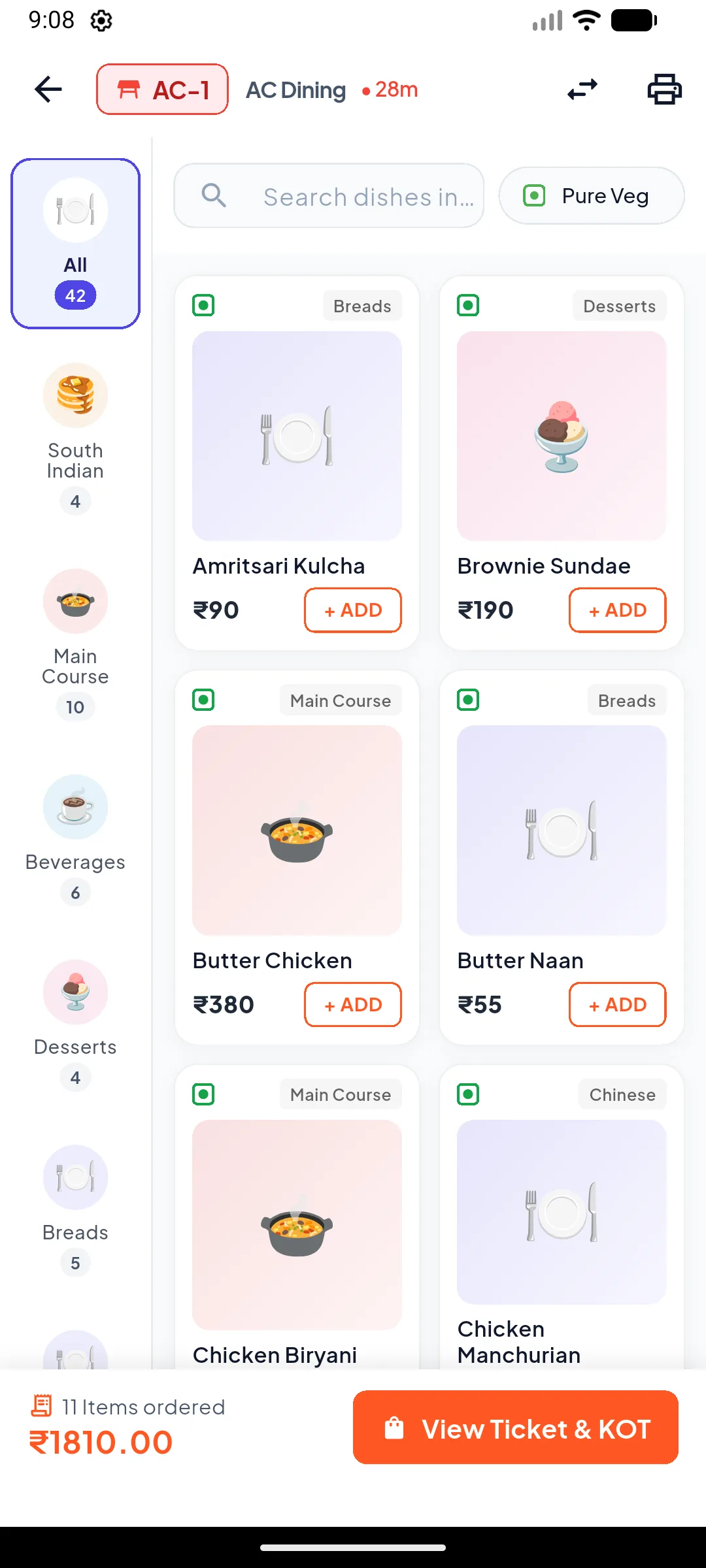
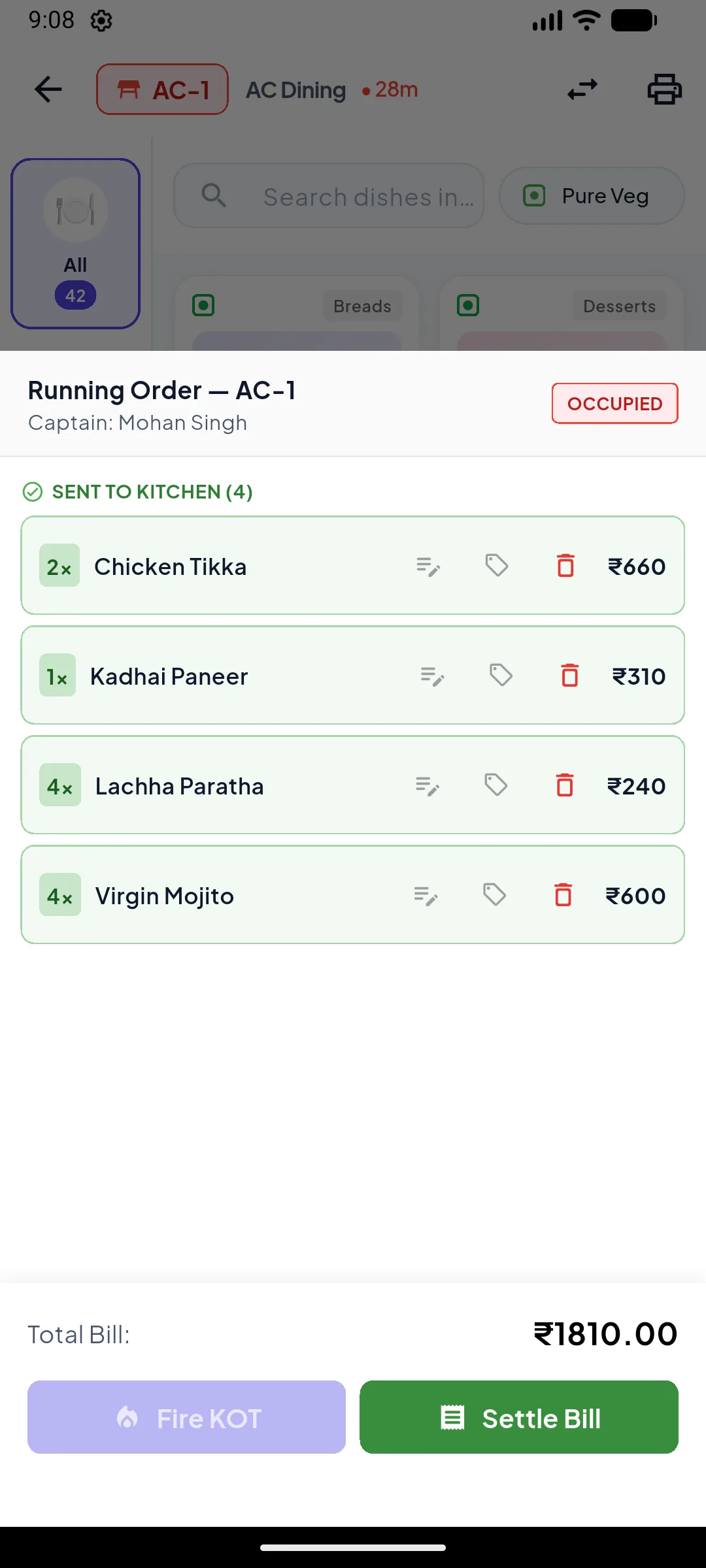
The waiter takes the order at the table on their phone and taps KOT. When the table orders more, the next KOT carries only the new dishes — the kitchen never gets the starters again with the mains. Every round stays on the table's running bill, and the table shows as running on everyone's floor map at once.
At the counter, a takeaway order gets a short token number the moment the first item goes in. The same number is on the slip (“Takeaway | Token 12”), on the kitchen screen and on the customer's bill, so calling out orders is simple. Switch on Rush before sending and the order jumps the queue.
Waiters stop walking to the kitchen with paper, and the kitchen gets only what it still has to cook.
Give each LAN printer its categories — Tandoor, Chinese, Bar — and one order prints a separate slip at every station that has work in it. The number of printers depends on the plan.
Print the whole order on one slip, or split it by category as “Ticket (1/2)” and “Ticket (2/2)”, so a cook holding slip 1 knows a second one exists.
If a kitchen printer is off or out of paper, the app names that printer in red with a Retry button — and sends only what did not print, under the same KOT number.
Pocket Bluetooth printers, a USB printer on an Android counter, or network printers in the kitchen, on 58 mm and 80 mm paper. The app reconnects by itself when a printer is switched on late.
The KOT number on the slip is the one on the Kitchen Display card and on the bill (“KOT: K12”), and the token or table matches too — any order can be traced from kitchen to cash.
Keep paper KOTs, move the kitchen to a Kitchen Display on a TV, or use both. A store with only the screen sends orders there without printing a slip.
Tap dishes on the counter or the waiter's phone, pick Half / Full or other options, and add a note like “less oil” to any dish.
The slip prints at the kitchen printer for each station (and shows on the Kitchen Display if you use one). Nothing is billed yet and no stock moves.
Every KOT round is already on the table's bill. Settle in cash, UPI or card, print the GST bill or send it on WhatsApp.
New to KOTs? Read what a KOT is, compare a KOT printer with a Kitchen Display, or see how token numbers for takeaway work.
KOT software sends a Kitchen Order Ticket from the billing counter or a waiter's phone to a printer (or screen) in the kitchen, so the kitchen cooks exactly what was ordered. In ZingBills the KOT is part of the same app you bill from, so every KOT also lands on the table's or the takeaway order's bill.
Any ESC/POS thermal printer on 58 mm or 80 mm paper: Bluetooth, USB on an Android counter, or a LAN (network) printer in the kitchen. Small cafes usually print the KOT on the same printer as the bill; bigger kitchens add LAN printers per station.
Yes. Give each kitchen printer its categories (for example Tandoor, Chinese, Bar) and one order prints a separate slip at each station that has dishes in it. You can also split one printer's slips by category.
No. Each new KOT for a running table carries only the dishes added since the last one; all rounds stay together on the table's bill.
Yes. Waiters take the order at the table on the ZingBills app and tap KOT. They can also mark the order RUSH, which prints *** RUSH *** on the slip and puts it on top of the Kitchen Display.
No. A ZingBills KOT carries the table or token, the KOT number, time, waiter, dishes, quantities, options and notes, but never prices.
Yes. Printing to a Bluetooth, USB or LAN printer does not need the internet, and bills keep saving offline and sync when the connection returns.
KOT, table orders and food notes are in every paid plan from Starter. Separate kitchen printers per station and the Kitchen Display come with the higher plans; see the pricing page.
Free to start, no card, no sales call. Add your restaurant or shop name, your menu, and print.